Overview
Version 7 is a big step up from our last update, with four headline features: clinical timers that ring as real alarms, dictation that never leaves your phone, hospital and location pins, and custom Skills Tracker reports for your portfolio. Two new clinical tools come with it, APGAR and a SPLATT falls assessment, along with a rebuilt home screen and an improved search.
Behind the scenes, we have pulled the entire app apart and put it together again. As such, lots of previous bugs have been fixed, it's noticeably faster than before, and it allows us to adapt to organisational needs for our enterprise customers.
Timers that make themselves heard
Clinical timers now ring as true alarms rather than notifications. They get through silent mode, Focus and Do Not Disturb, with a full-screen alert on the lock screen and the choice to dismiss or restart the timer from there. It keeps ringing whether the app is in the background, the phone is locked, or you have closed the app.
If you are wondering why this took until version 7, we ended up writing the alarm plugin ourselves as both of the third-party options were unmaintained.
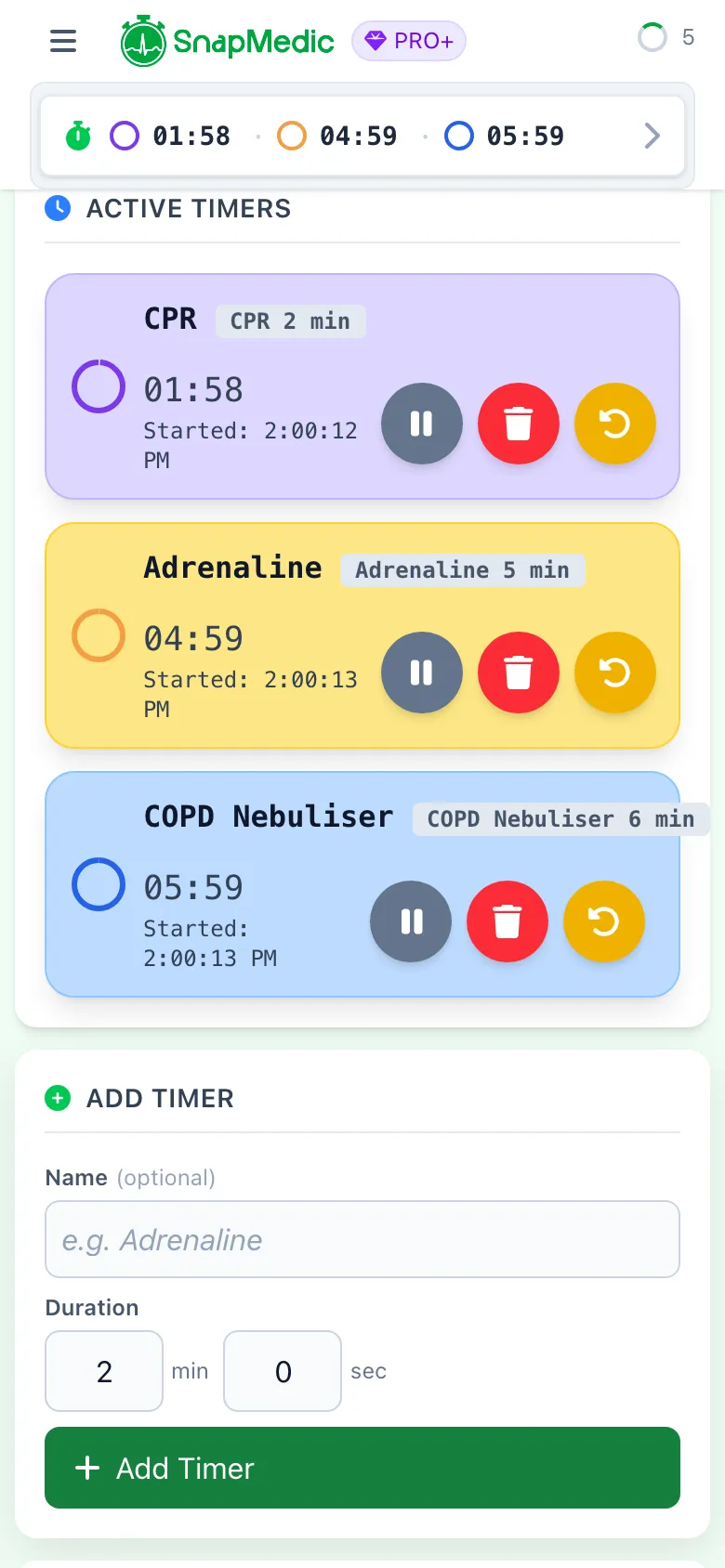
SnapMedic timers screen with CPR, adrenaline and nebuliser countdowns all running
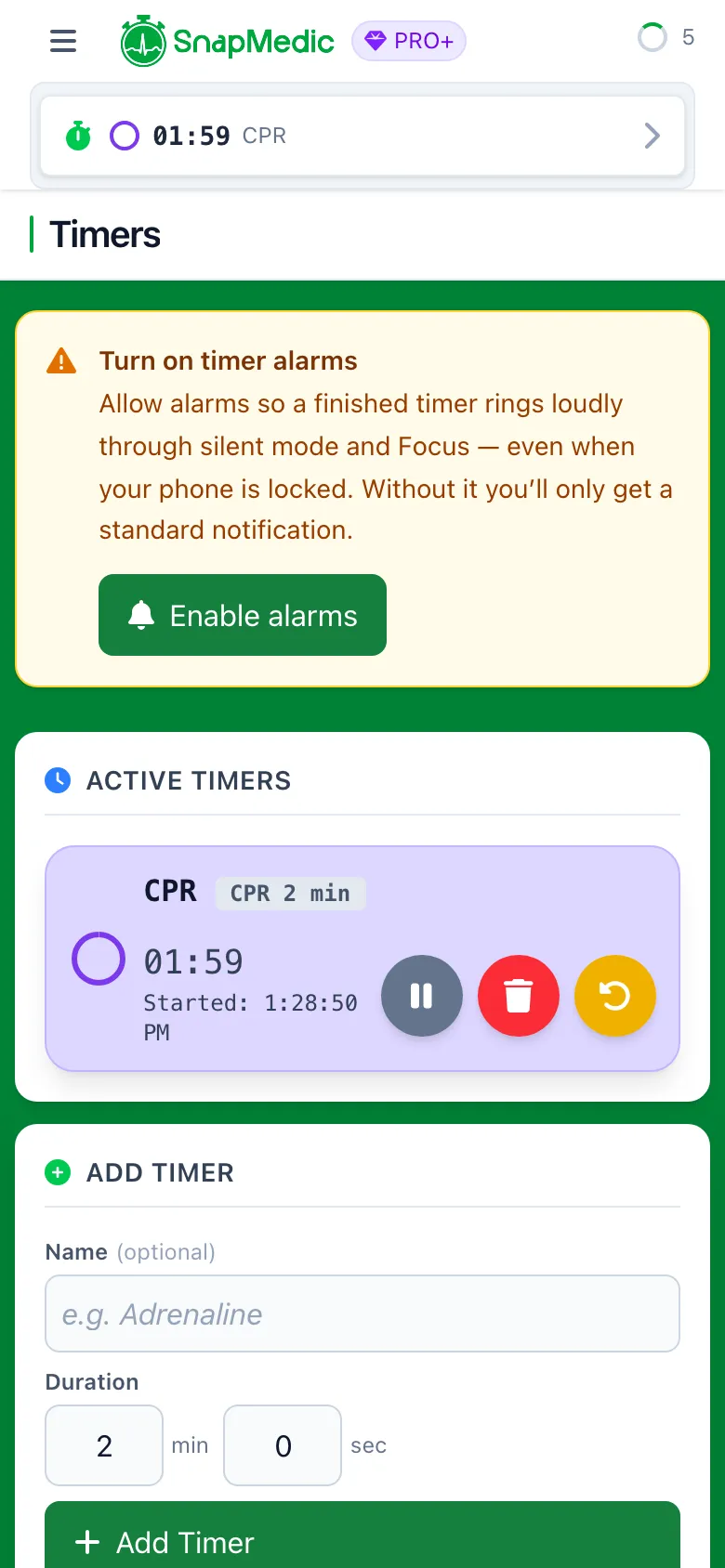
SnapMedic timers screen showing whether the phone is set up for true alarms
Dictate your notes
Tap the microphone beside a note field and talk instead of typing. It works on Intervention Log notes and on My Notes.
Speech recognition happens entirely on your device. No audio and no transcript ever leaves your phone. On older devices, you might not find this feature exists, as on-device transcription is not supported on your phone / tablet. We are looking at solutions in the future to support this, but at the moment it felt like the right balance of privacy and functionality.
English (UK) at launch, and free for everyone. This is as much an accessibility feature as a convenience one: gloved hands, one-handed use, motor difficulty, dyslexia. On a related note, the keyboard now moves out of the way of the field you are typing in so you can actually see what you are typing.
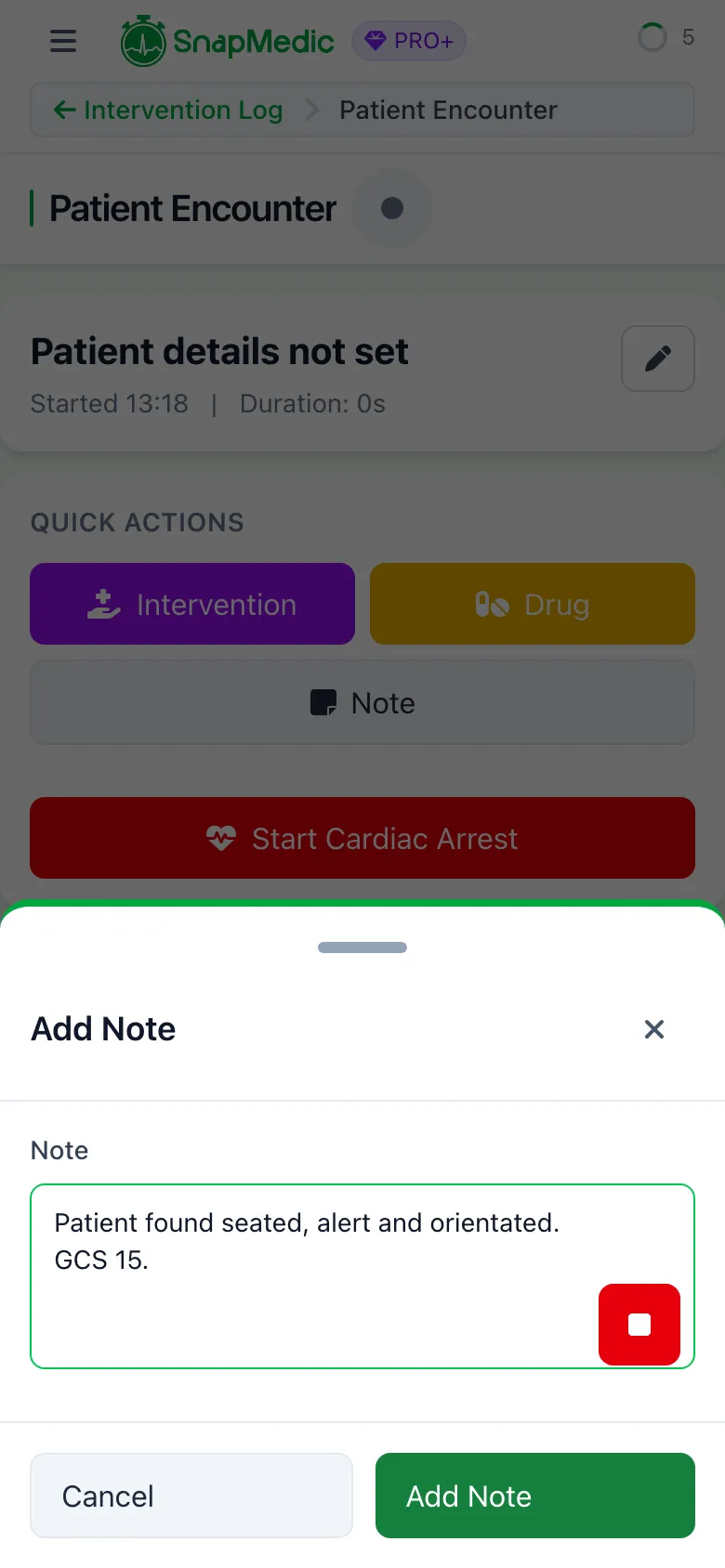
SnapMedic dictating a clinical note into an Intervention Log note field, with a stop control
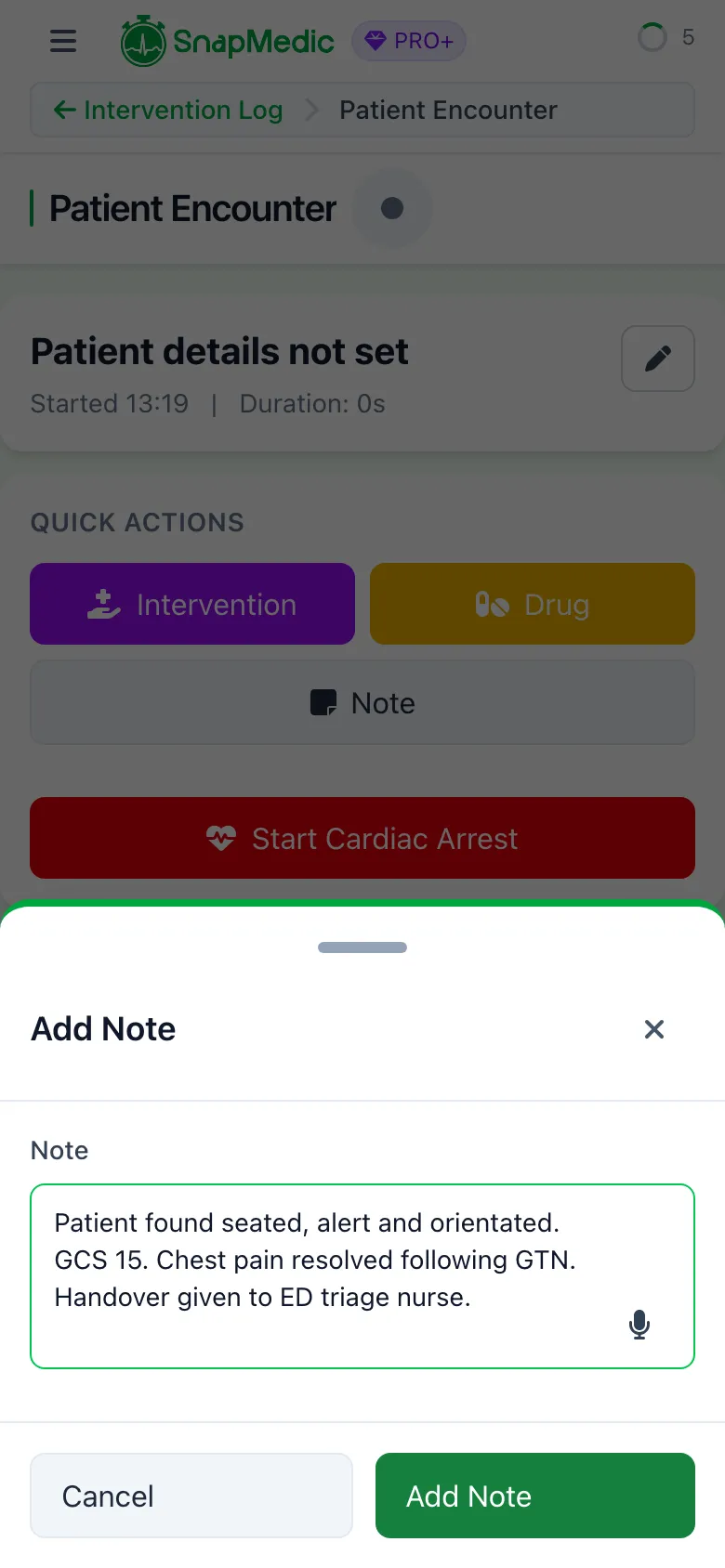
SnapMedic dictated note text sitting in the editable Intervention Log note field ready to save
Hospital and location pins
One of the most requested things on the feedback board was location pins.
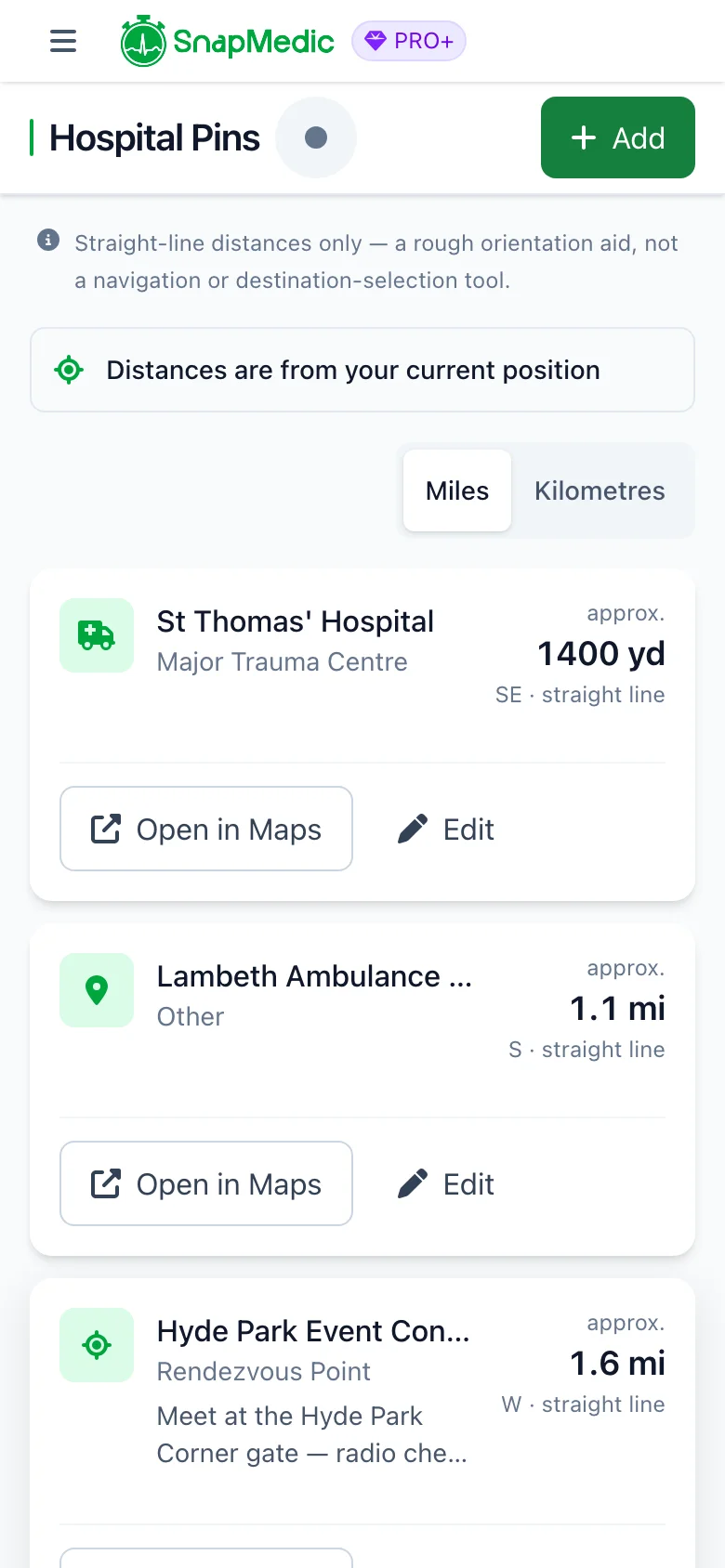
Save the hospitals, trauma centres, stations, helipads and rendezvous points you actually use in one short list. Add a pin from where you are standing, by postcode or place search, or by typing coordinates in (if you happen to know them). Pins sync between devices, but your location never leaves your device. The processing is all done locally.
We wanted to sync this to actual known hospitals up and down the country, but that requires an NHS API subscription and we are not quite ready for that yet.
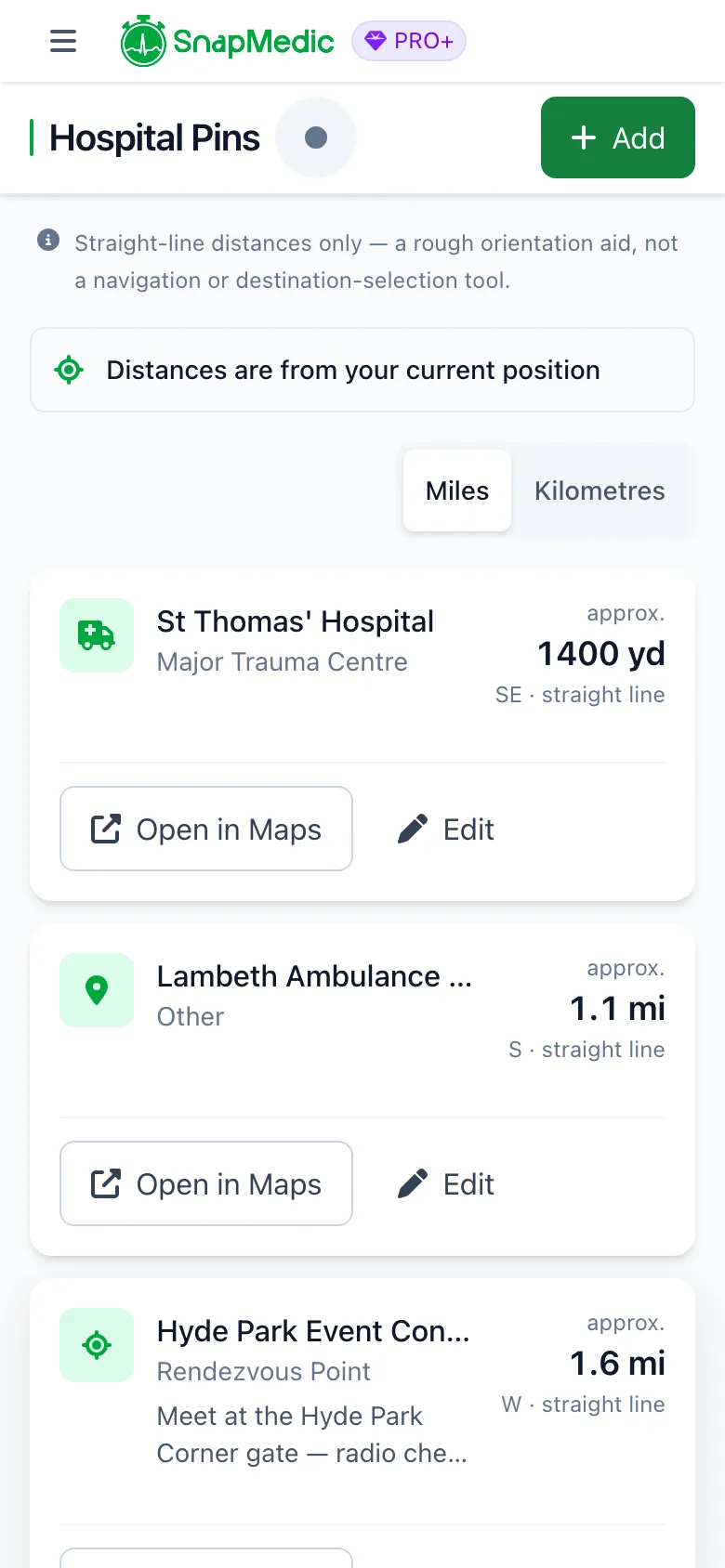
SnapMedic hospital pins list sorted nearest first with approximate straight-line distances and compass directions
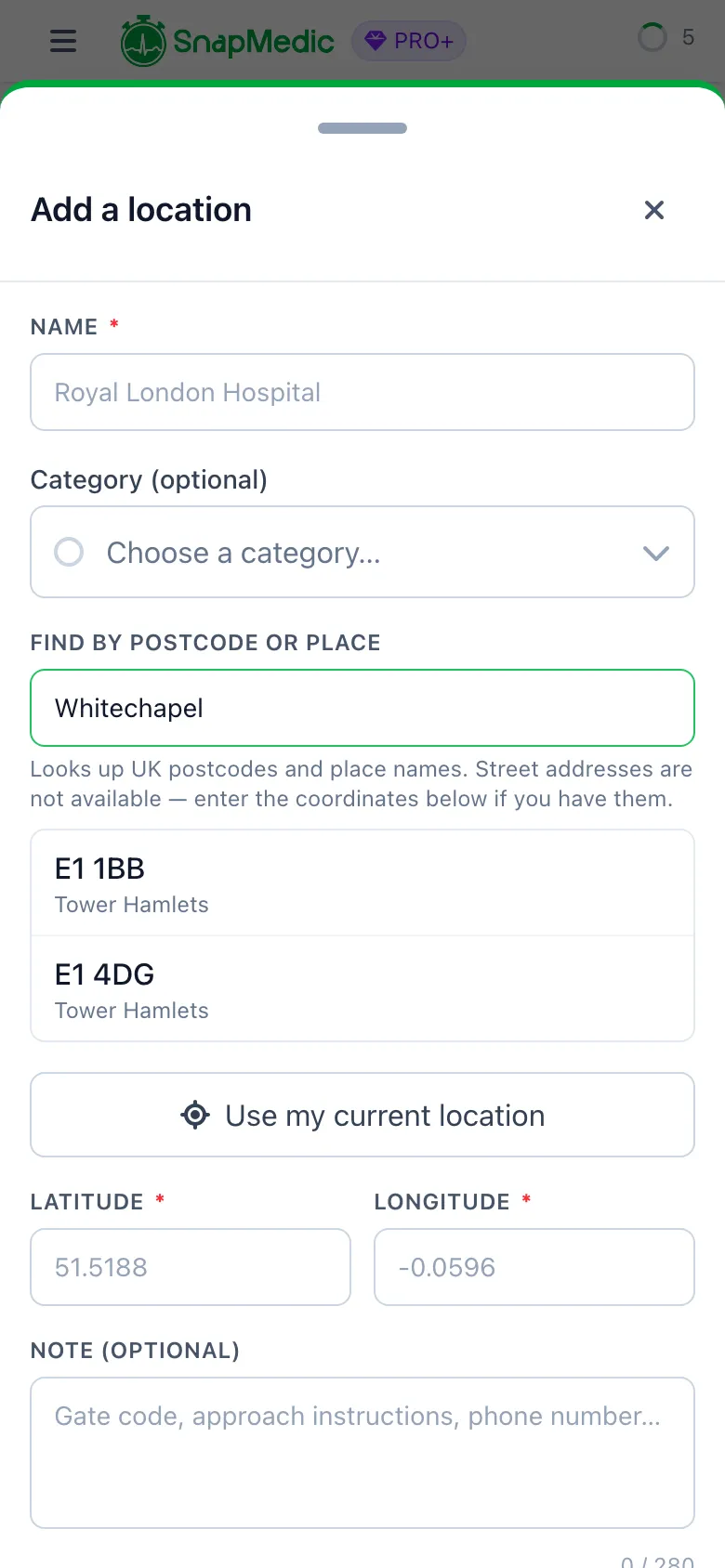
SnapMedic adding a location pin by postcode search with live results
Build a Skills Tracker report
You can now turn the skills you have logged into one focused report for your portfolio as opposed to a general report. We now provide a built-in airway export, for those logging iGels and intubations.
Each entry carries the skill, the date, the linked call context, outcome, supervision, notes and reflection, and every recorded question with its answer. Notes and reflections are a toggle, so you can produce either an evidence-heavy portfolio piece or a clean log. Download it as a PDF portfolio or as CSV data.
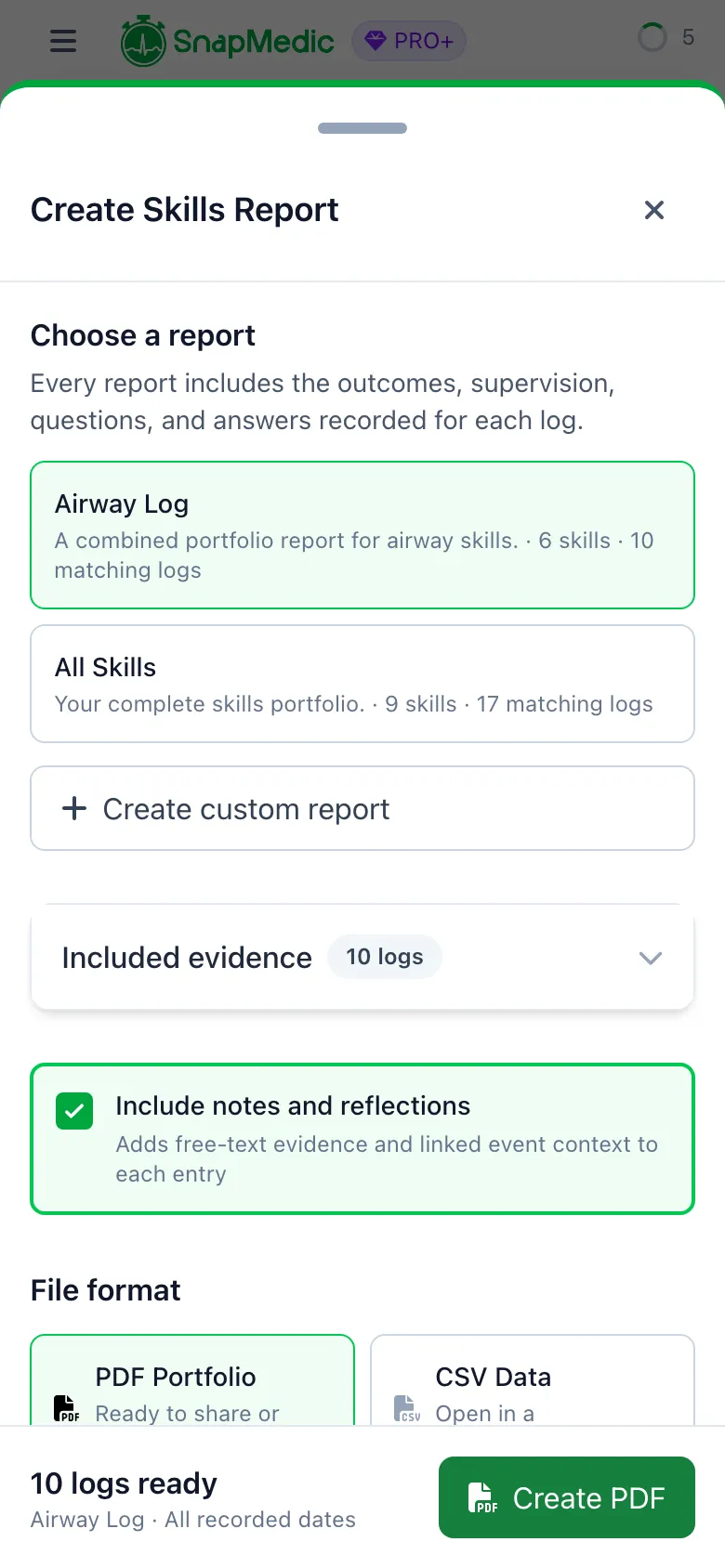
SnapMedic Create Skills Report sheet offering an Airway Log preset, an All Skills preset and a custom report option
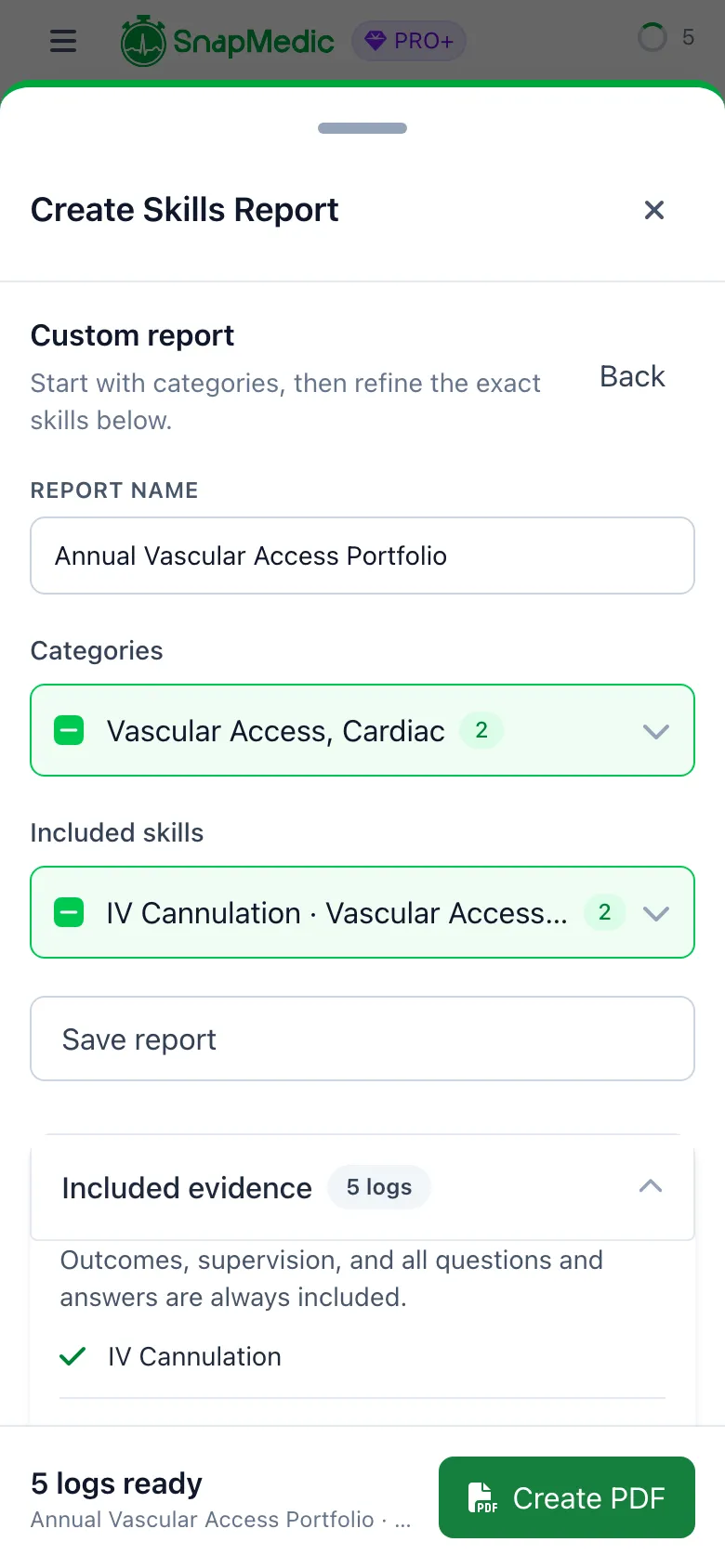
SnapMedic custom skills report builder selecting which skills to include
APGAR
A new newborn scoring calculator. Five signs, each scored 0 to 2, for a total out of 10, with the published descriptors against every grade so you are choosing a description rather than trying to recall a number.
This was a heavily requested feature, but for those in prehospital care, it might be wise to remember that JRCALC is moving away from APGAR calculations.
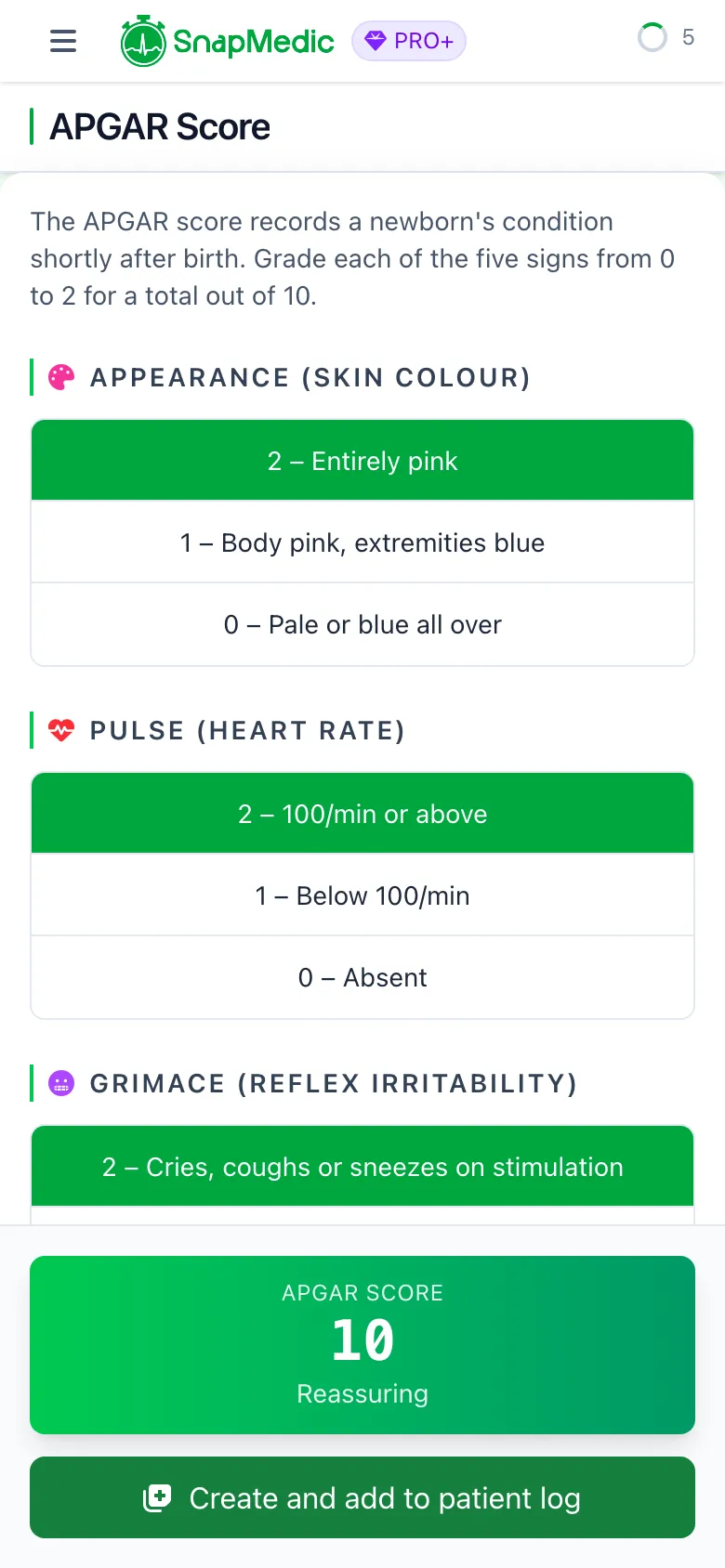
SnapMedic APGAR calculator showing a completed 10 out of 10 score in the green reassuring band
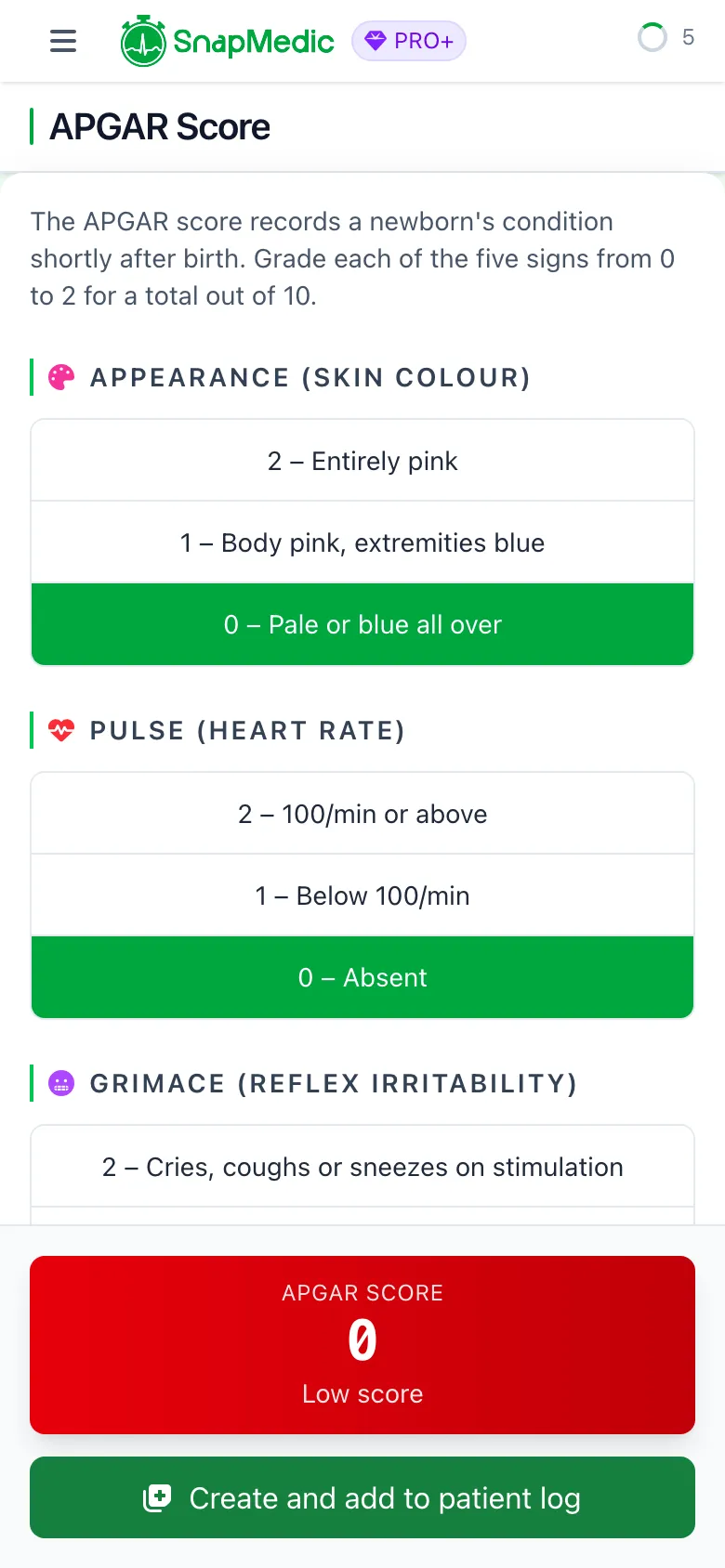
SnapMedic APGAR calculator showing a 0 out of 10 score in the red low band
Falls assessment (SPLATT)
A guided on-scene falls history that follows the SPLATT mnemonic: symptoms, previous falls, location, activity, time on floor, trauma. This one came off the feedback board from a falls-trained community first responder.
One tap adds the whole thing to the Intervention Log.
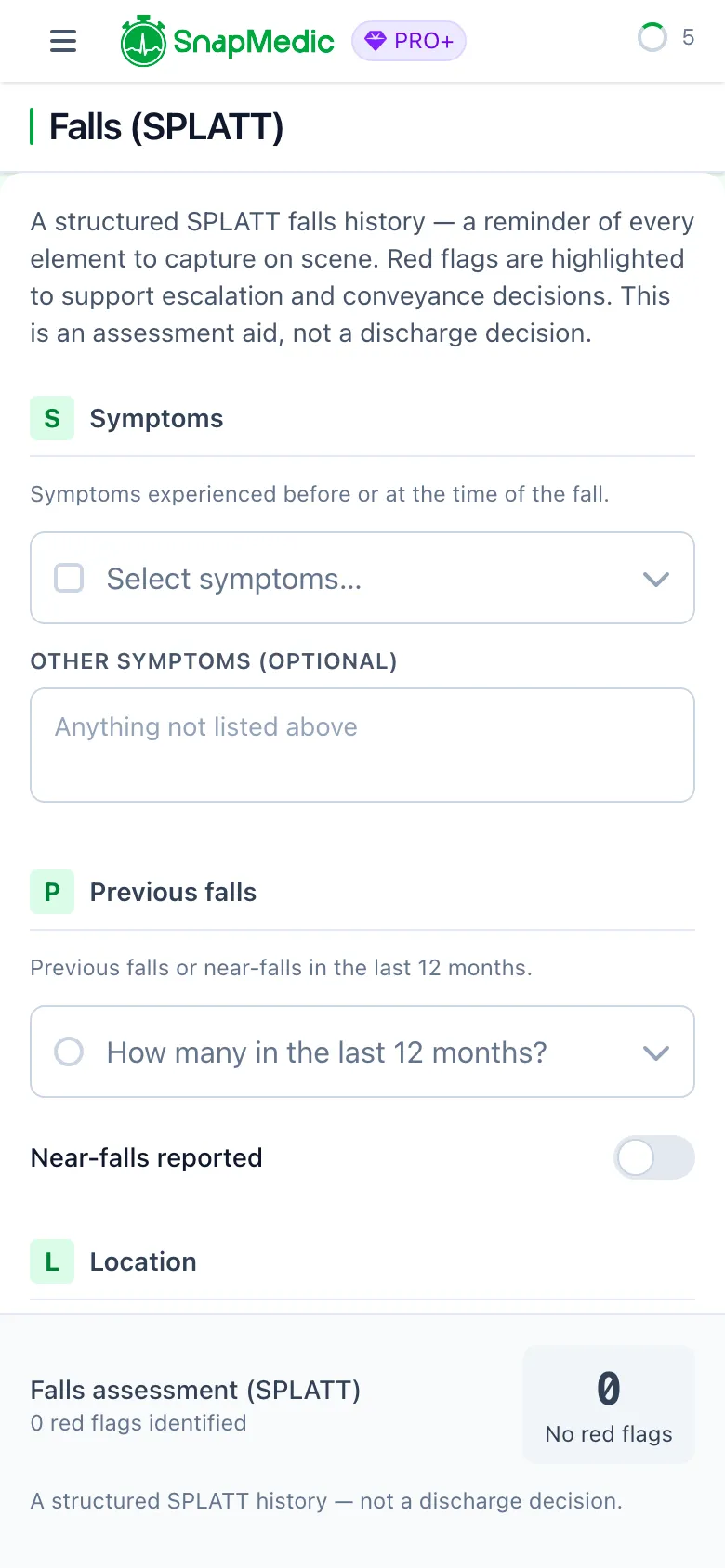
SnapMedic SPLATT falls assessment showing all six elements of the mnemonic as prompts
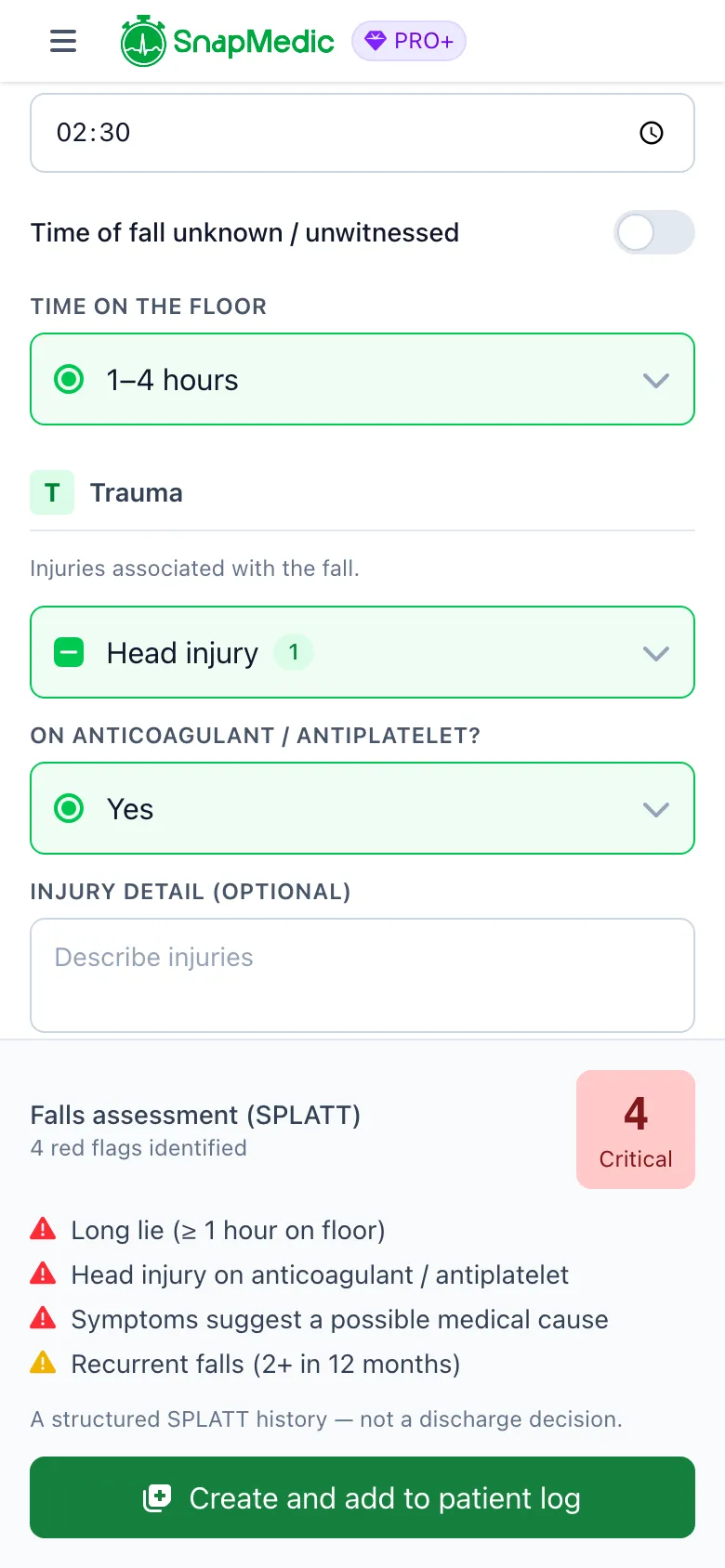
SnapMedic SPLATT falls assessment summary showing four identified red flags and a critical severity badge
A new home screen
We continued to work on our home screen to ensure it's suitable for all users, from phones to desktop computers (psst, did you know SnapMedic works on a computer via the web?). It's now easier than ever to mark a shift as finished via the home screen.
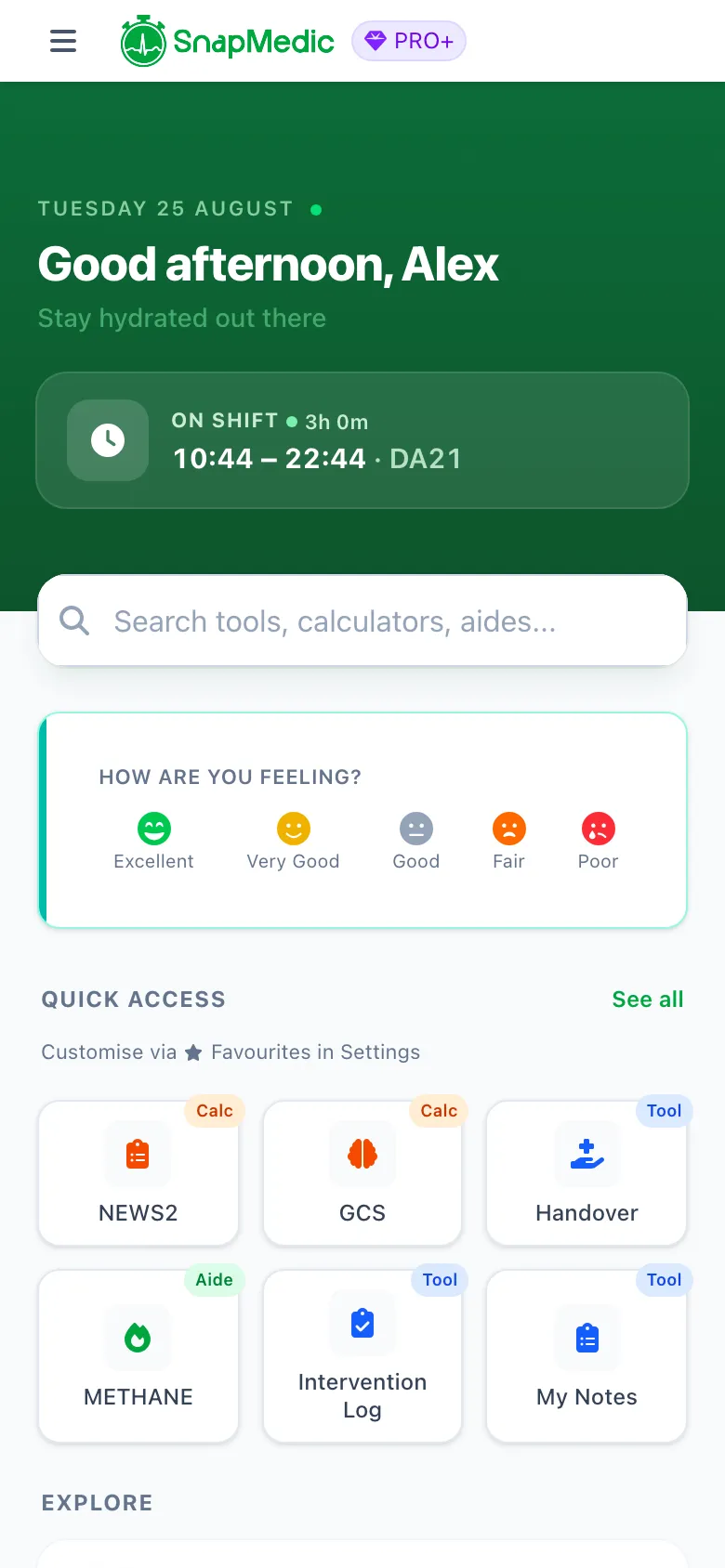
SnapMedic redesigned home screen with shift status visible at the top without scrolling
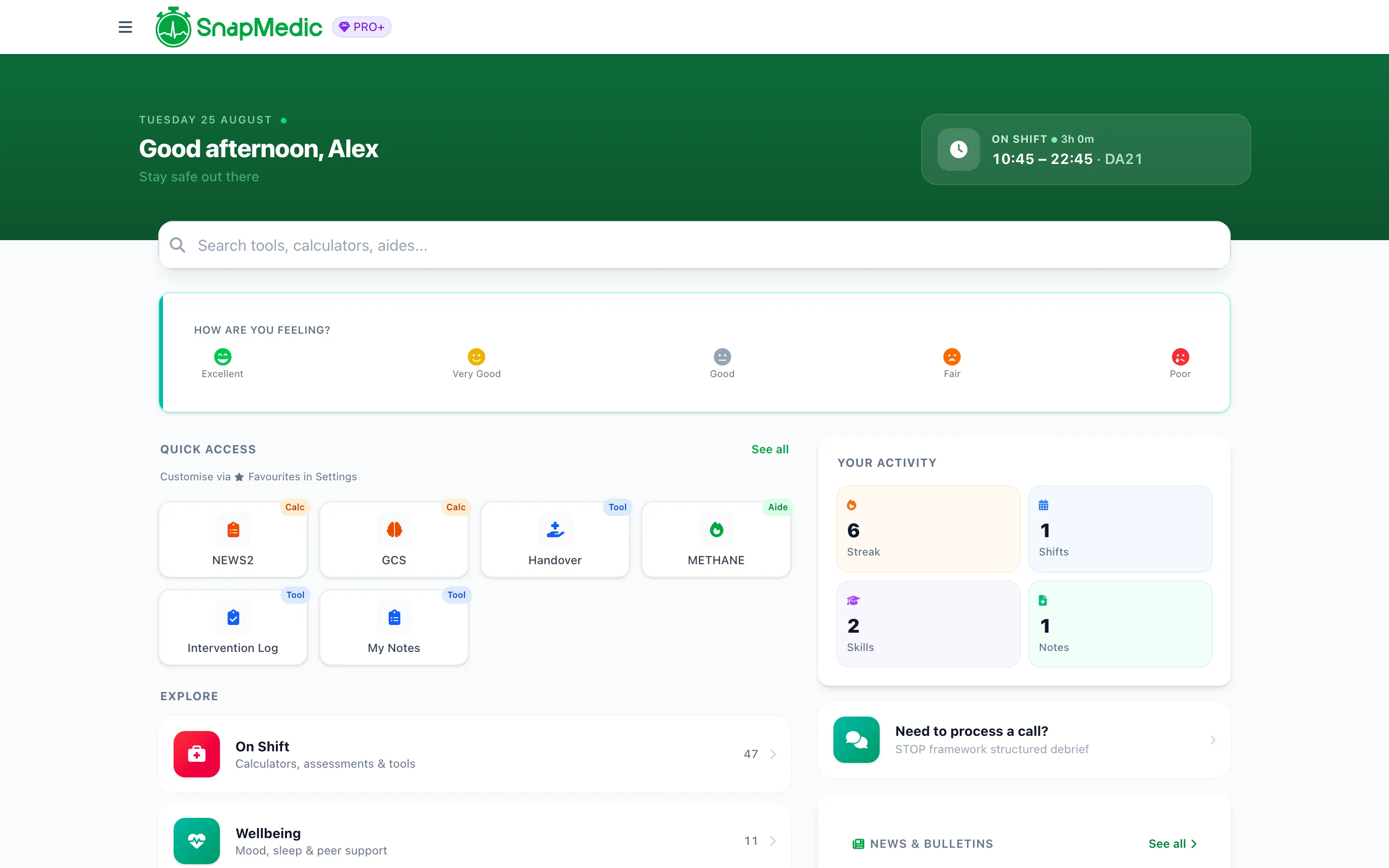
SnapMedic home screen on a laptop showing the two-column launchpad and rail dashboard
Search now finds news
News was the last content in the app that search could not reach. Type into the home search bar or the menu search now and you get two clearly separated groups: matching tools, and matching news articles. Both search surfaces behave the same way, and Pro articles still appear in results with a Pro badge rather than being hidden from you.
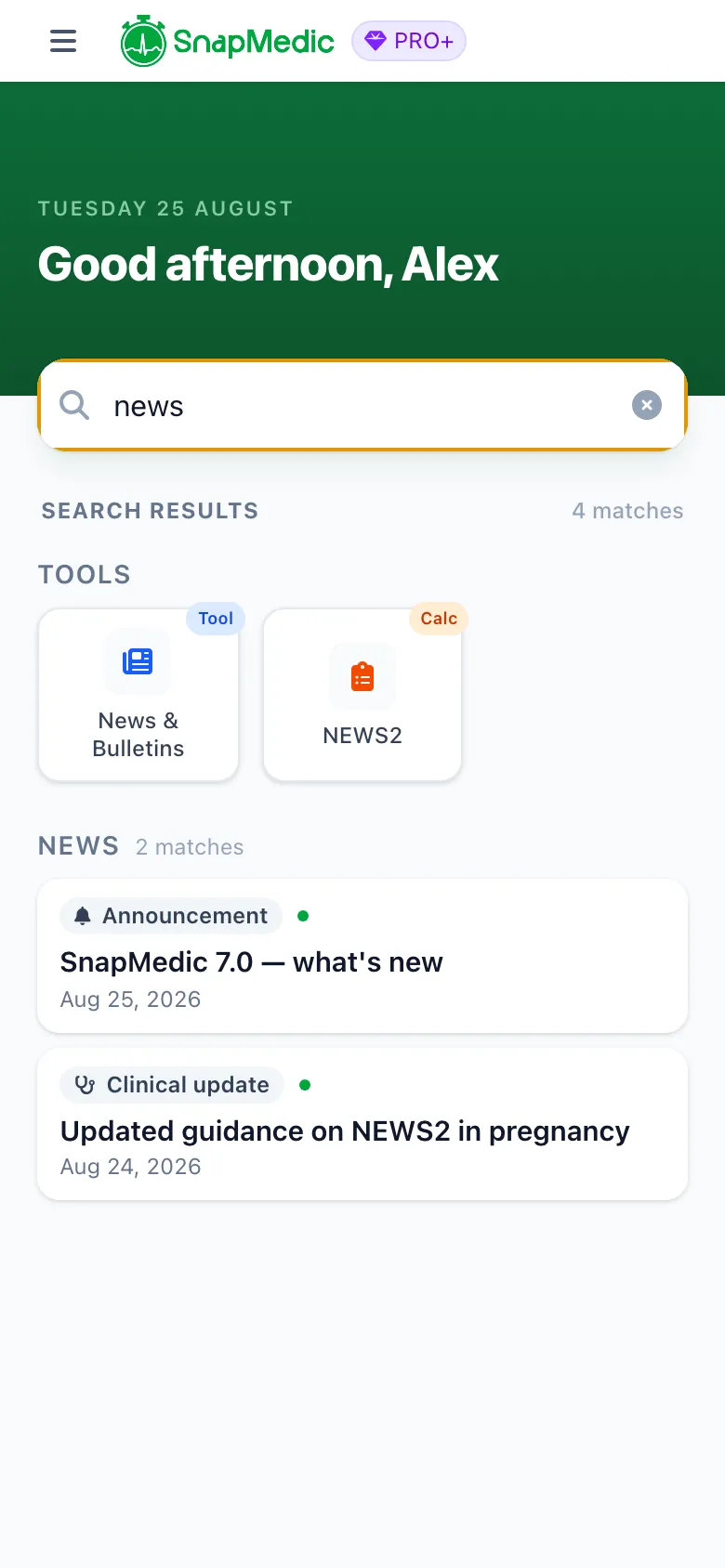
SnapMedic home search showing matching tools and matching news articles in two separate groups
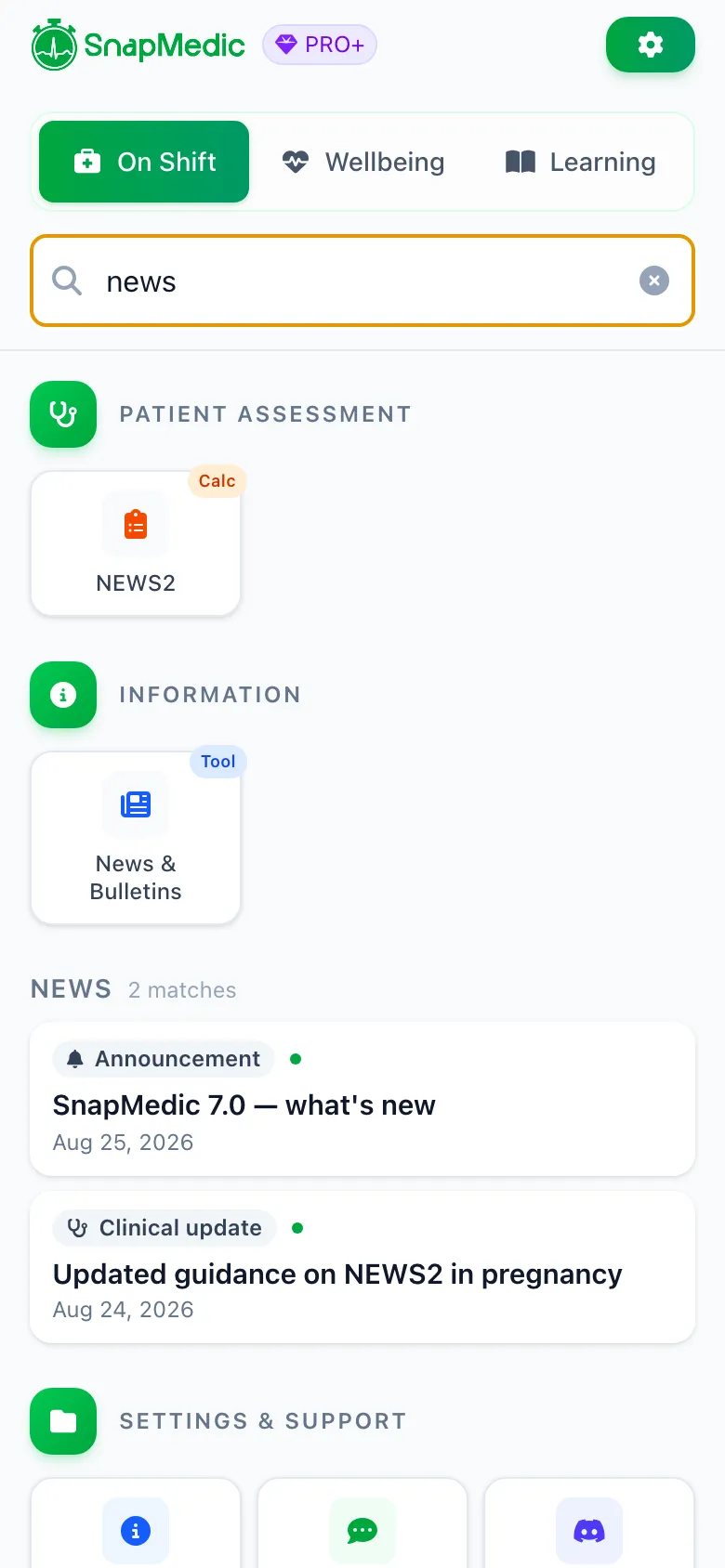
SnapMedic menu search showing the same grouped tools and news results
Improvements and fixes
# Shifts
- Finishing a shift used to show a prominent "rostered" time pair that looked like where you typed your worked times, but only the quieter "actual" pair was saved, so what you typed silently vanished. Fixed properly, not relabelled.
- Ad-hoc "book on" shifts now open the finish screen with the times filled in instead of blank.
- Custom break compensation now actually saves. Picking "custom amount" and entering a value used to show the right running total and then store £0.00.
- CSV export now honours the full date range you picked, instead of quietly exporting only what was already loaded on screen.
- Overtime hours in the CSV export now calculate instead of always reading zero.
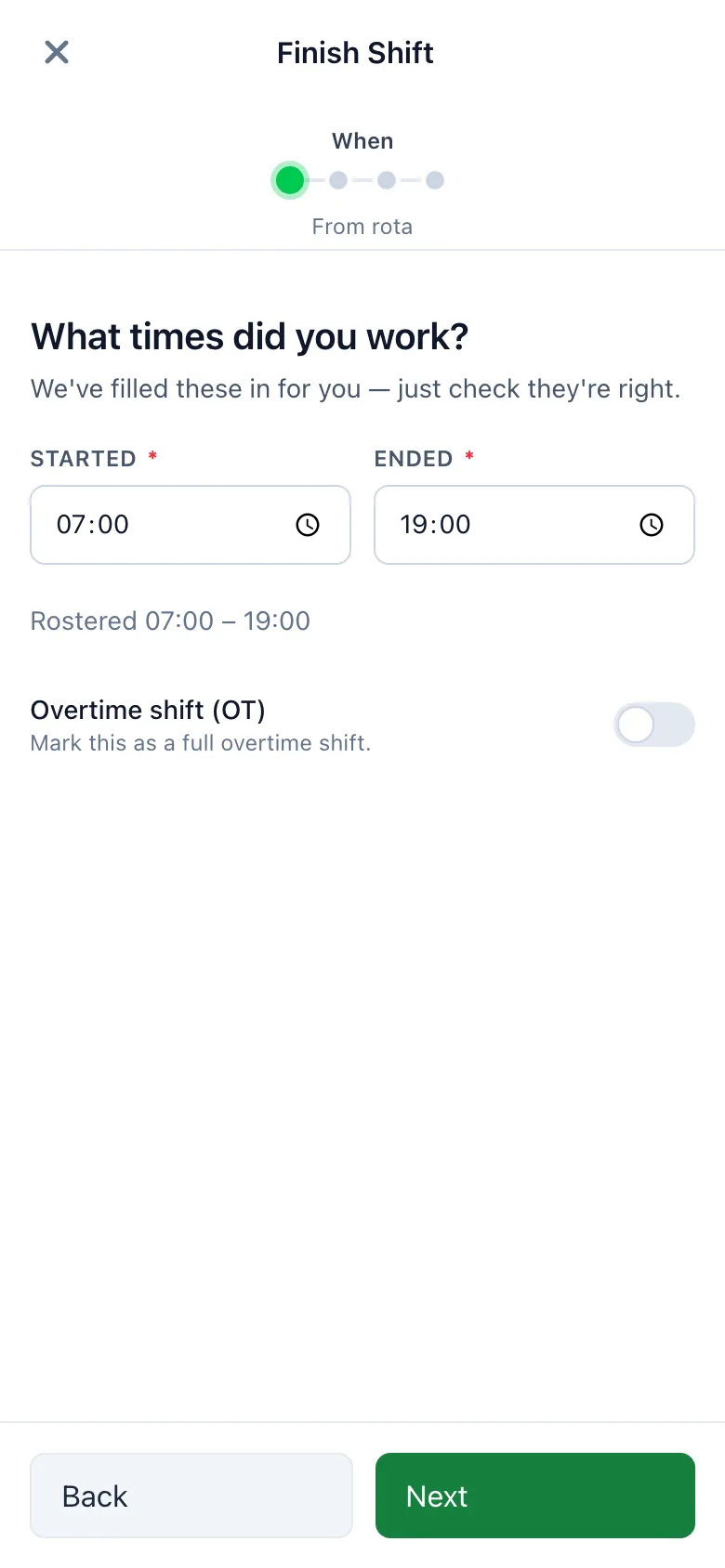
SnapMedic finish shift screen with the worked times correctly pre-filled
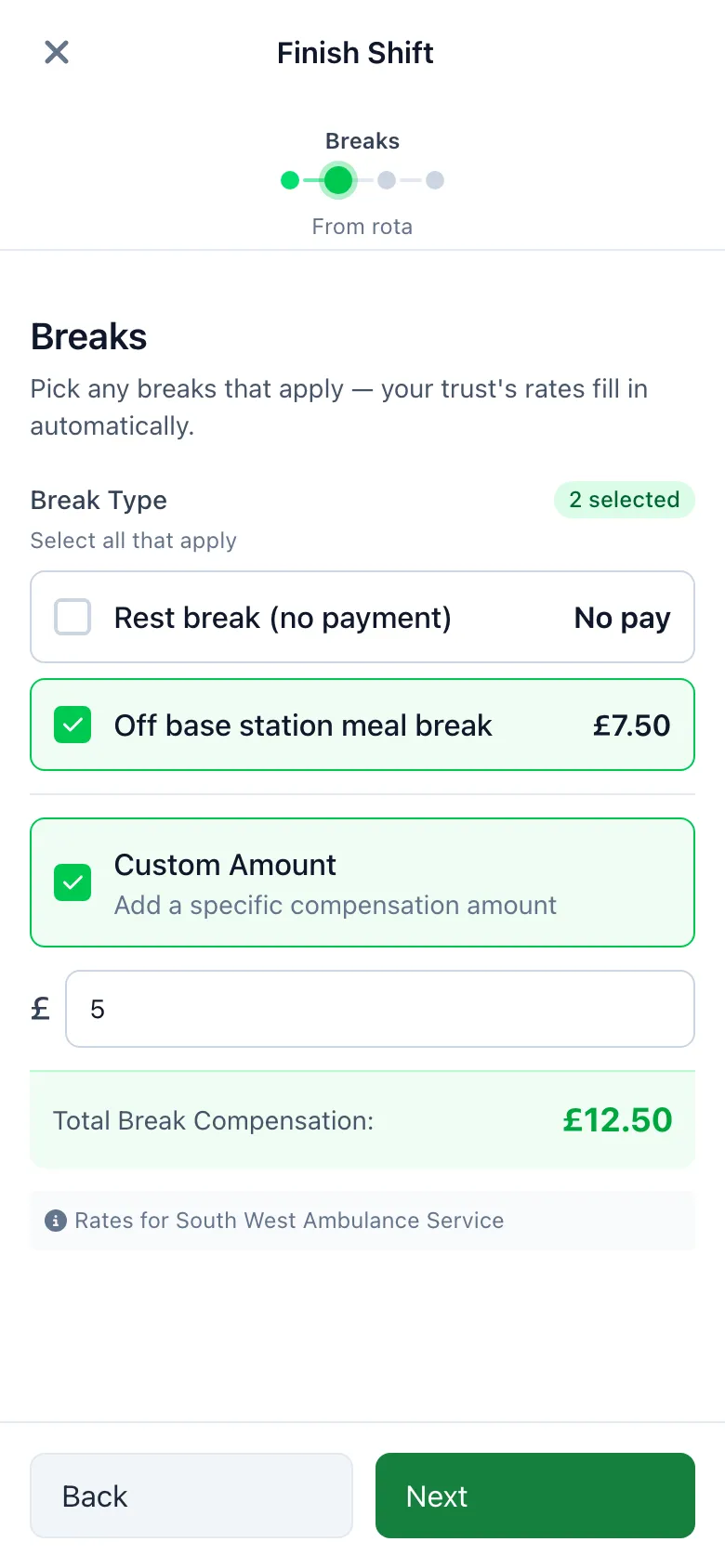
SnapMedic shift wizard breaks step with a custom break compensation amount entered
# Clinical
- OSCE AI chat survives a mid-assessment reset without losing the assessment in flight.
- Intervention logs started before you sign in are now correctly claimed to your account when you do.
- The phone's back button now closes a fullscreen ECG without navigating away from what is behind it.
- The mood banner dismisses instantly instead of lagging.
- Menu search snaps back to the top of the results as you type.
# Privacy and security
- Wellbeing data on a shared device is now correctly scoped per user.
- OSCE chat messages that were silently failing to sync now sync, and surface an error if they cannot.
Thanks
Hospital pins, custom skills reports, APGAR, the falls assessment and the break compensation fix all came off the feedback board. Keep it coming, by email, on Discord, or through the feedback portal.
Update to Version 7.0 now
Join thousands of UK ambulance clinicians who trust SnapMedic for their clinical toolkit needs
Or try the web version
Free to download • All core features included • Works offline