Overview
This one took a while. Version 6.7 adds automatic shift rotas with a calendar view, wellbeing tracking for mood and post-incident debriefs, and improved offline reliability.
We have also updated the drug and conditions datasets to March 2026, fixed a pile of accessibility issues, and worked through dozens of bug reports.
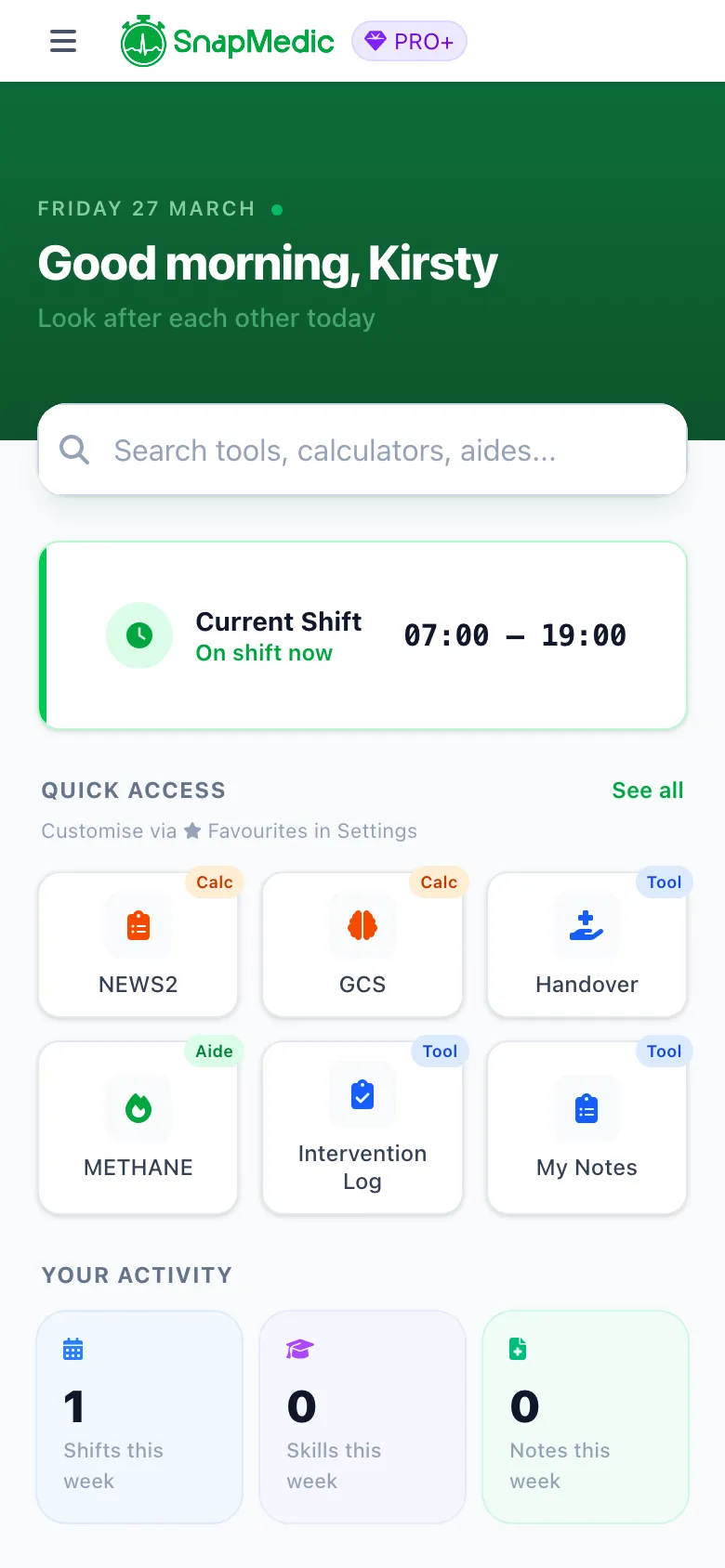
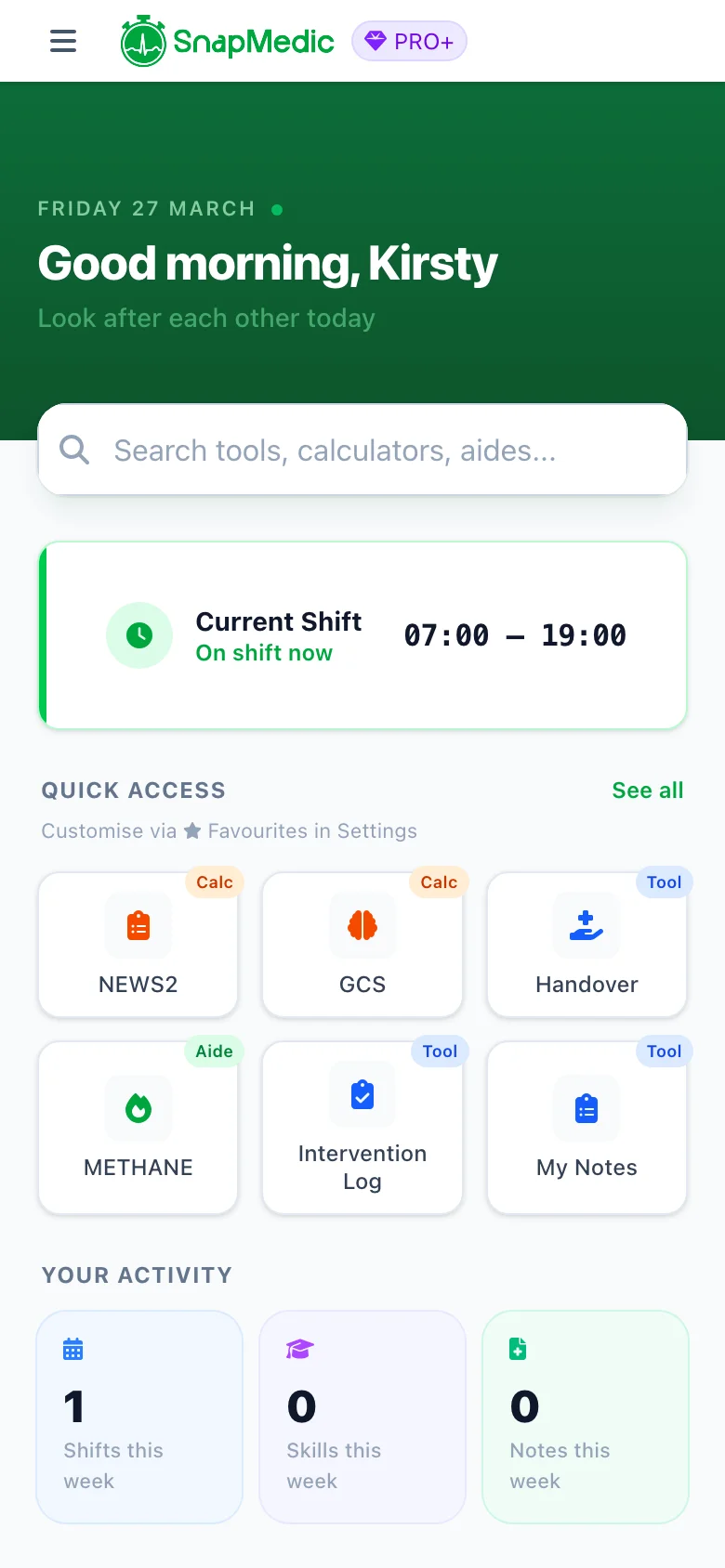
Redesigned home screen with wellbeing and shift tracking
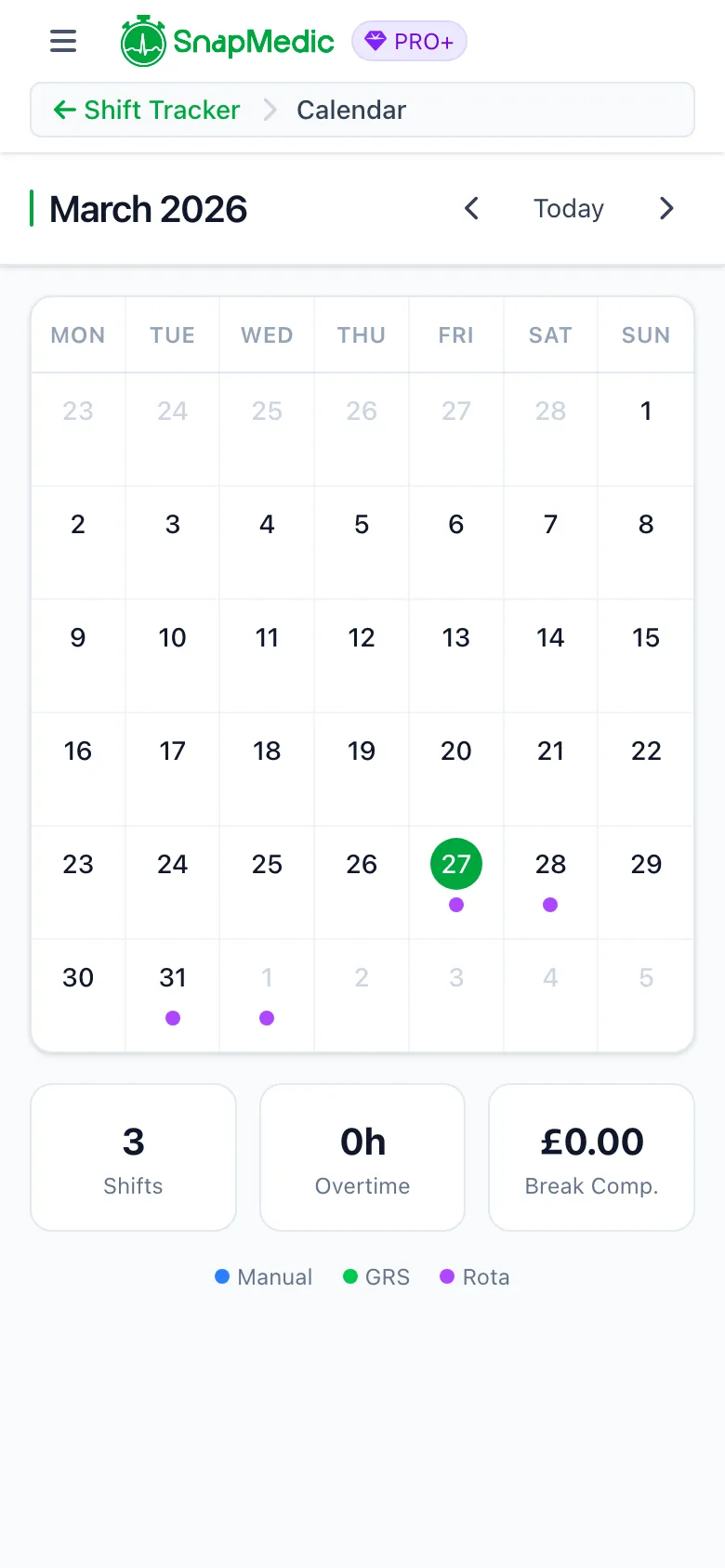
Monthly shift calendar with colour-coded shift sources
Shift Tracking & Rota System
People have been asking for this since we first added shift tracking. You can now define a repeating rota pattern and have your shifts generated automatically. No more logging the same schedule week after week. This is particularly useful if your trust does not use GRS or does not allow GRS calendar access.
# Setup wizard
A wizard walks you through setting up shift tracking the first time you open it. Pick your ambulance trust for break compensation rates, then choose how you want to track.
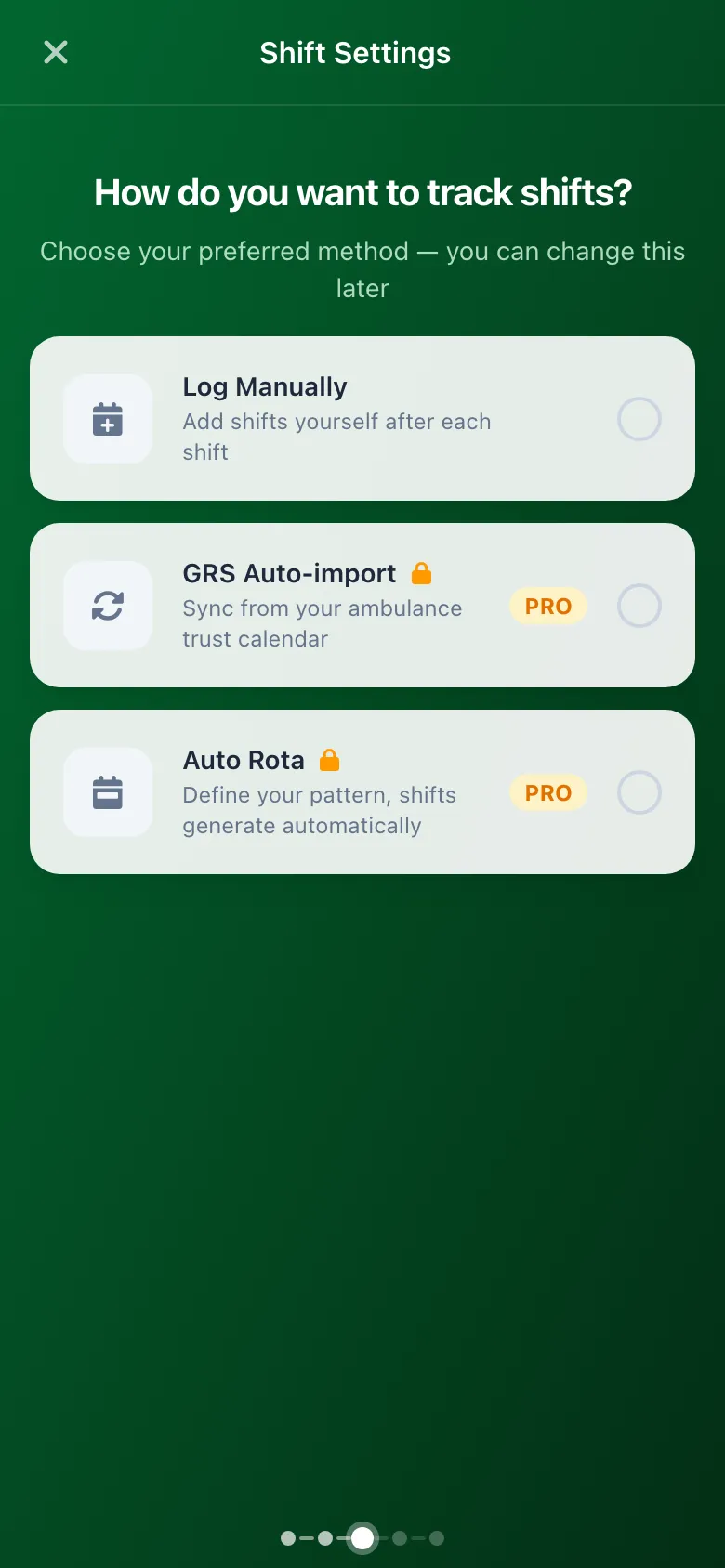
Shift tracking setup wizard with method selection
Three options:
- Manual entry — Log shifts yourself with date, times, callsign and location. Free for all users.
- GRS calendar sync —Connect your GRS profile via iCal URL and shifts import automatically every hour. Pro feature.
- Rota patterns — Define your repeating rota and shifts generate in the background. Pro feature.
# Rota patterns
The rota editor supports two pattern types.
Cycle patterns repeat over a fixed number of days. If you work 4-on-4-off or an 8-day cycle, set the length and tap to assign shift types to each day. Cycles can be 2 to 365 days.
Weekly patterns repeat over a set number of weeks. If your rota runs Monday to Sunday and repeats every few weeks, use this one. Supports 1 to 13 week patterns.
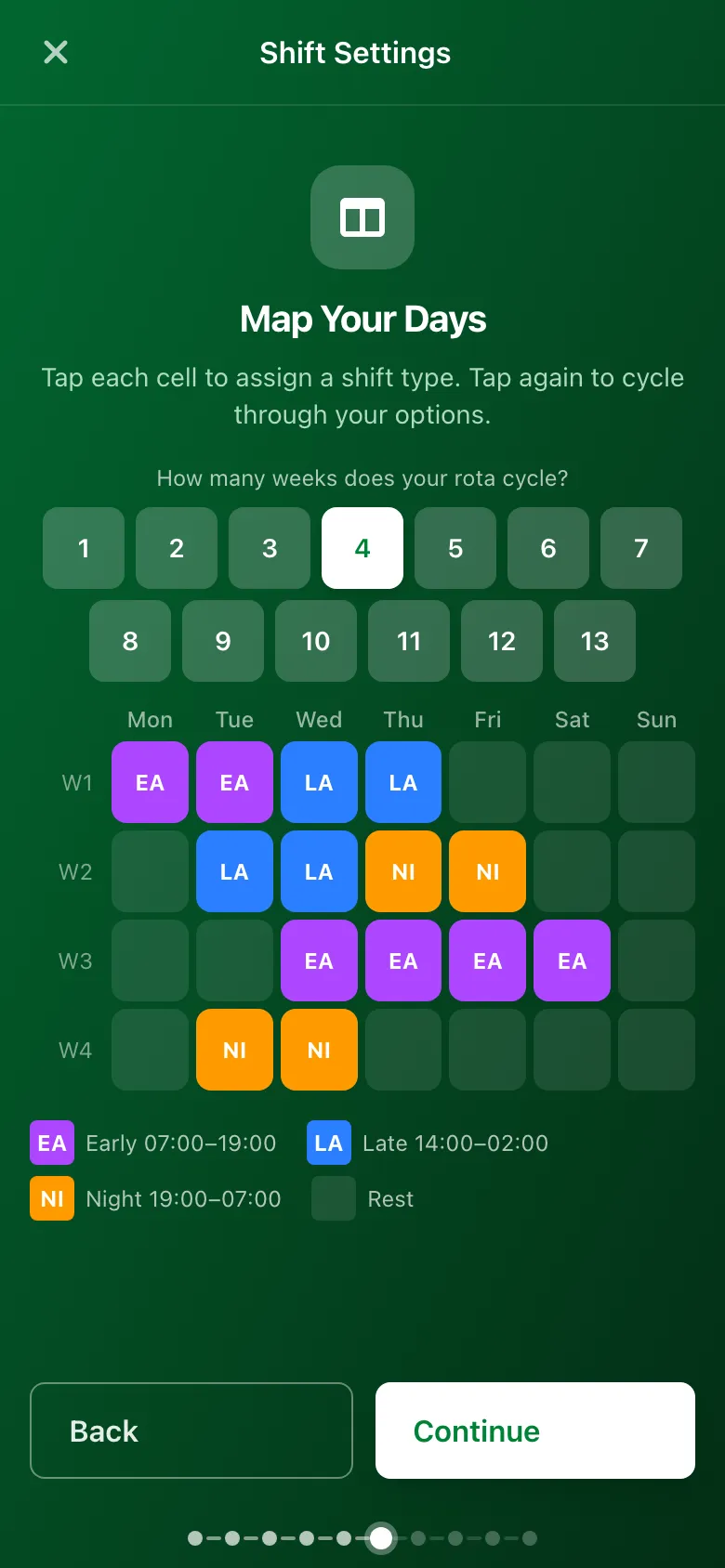
Rota pattern editor with shift type grid
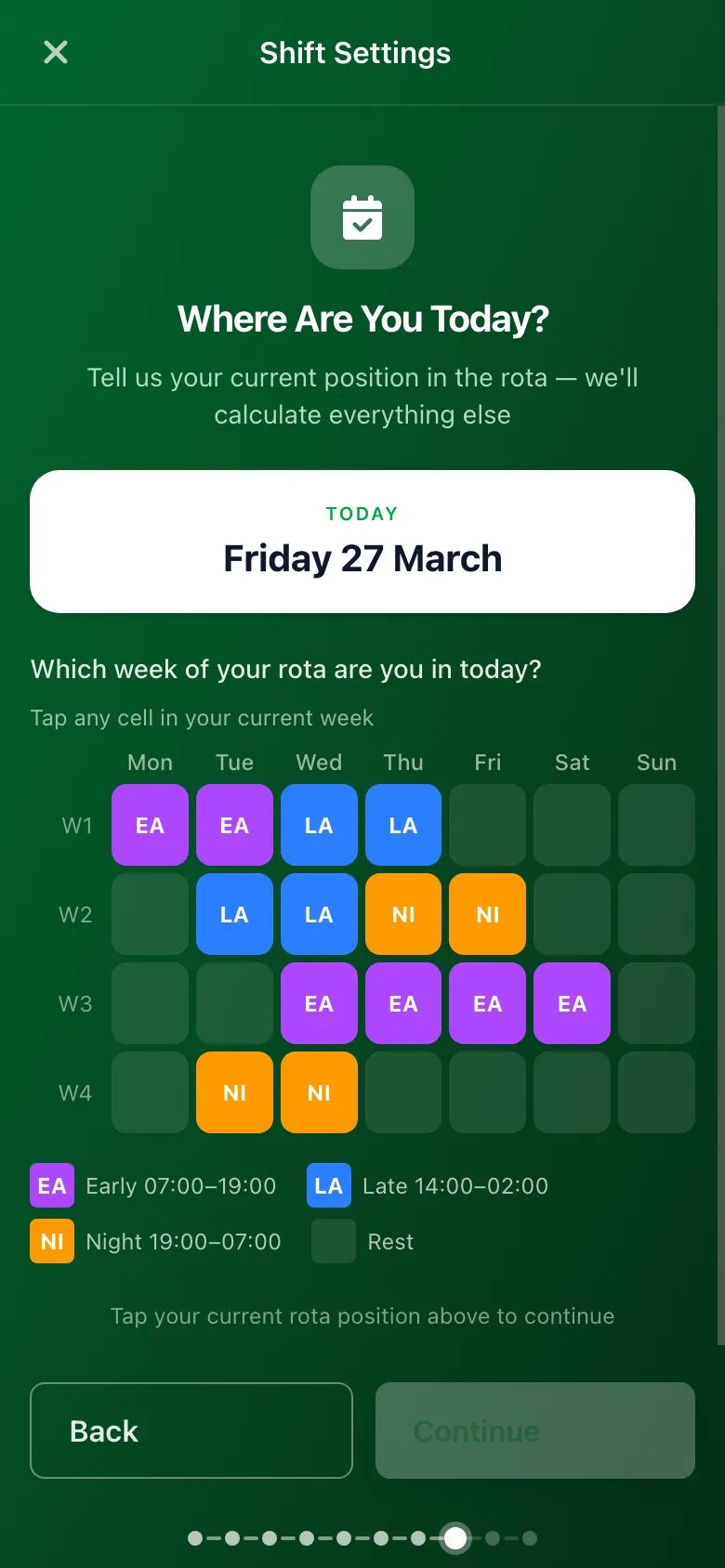
52-week rota preview before saving
You create shift templates (Early, Late, Night, whatever you call them) with start and end times, then tap days on the grid to assign them. Before saving you get a 52-week preview to check everything lines up. You can also pause, duplicate or delete rotas at any time.
Set it once, forget about it
# Calendar view
The calendar shows a monthly overview of all your shifts, colour-coded by source. Manual shifts are blue, GRS imports are green, rota shifts are purple. Tap any day to see the details.
Each month has a summary card with total shifts, overtime hours and break compensation earned. You can flip between months or jump back to today.
# Ad-hoc shifts
If you work on-call or as a community first responder, the ad-hoc workflow lets you book on and off with a single tap. Active ad-hoc shifts sit at the top of the screen.
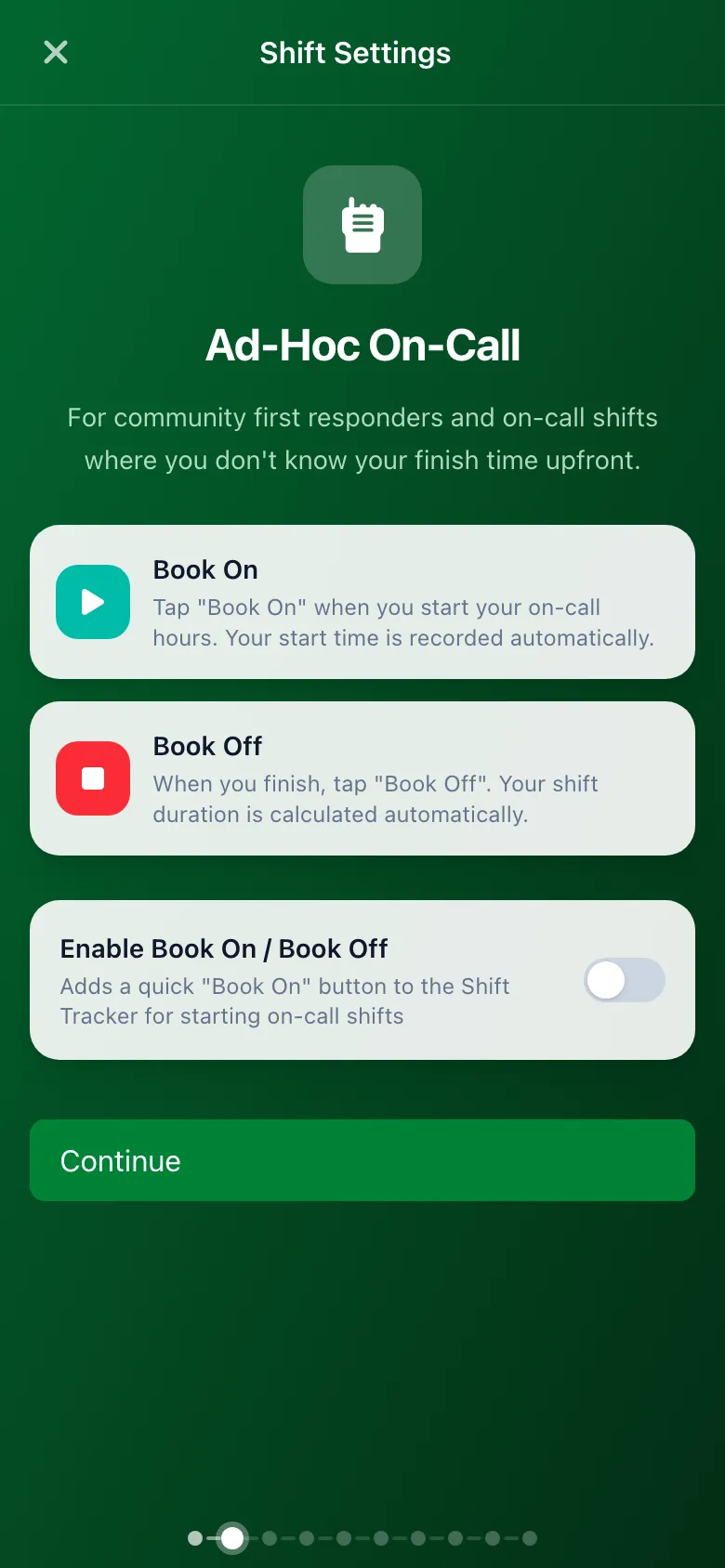
Enabling or disabling on-call status
Wellbeing
This is the one I have been thinking about the most. We have added wellbeing tracking that covers mood and structured debriefing after difficult jobs. Everything is encrypted end-to-end and never shared with your us.
# Mood check-ins
A quick mood check-in sits on the home dashboard. Tap once to log how you are feeling on a five-point scale. Takes about two seconds. Over time your check-ins build up into a picture of how you are doing. The idea is low effort, high value.
# Hot debrief
The hot debrief uses the STOP framework, which is widely used in peer support and psychological first aid programmes across UK ambulance services. It walks you through four steps after a difficult call.
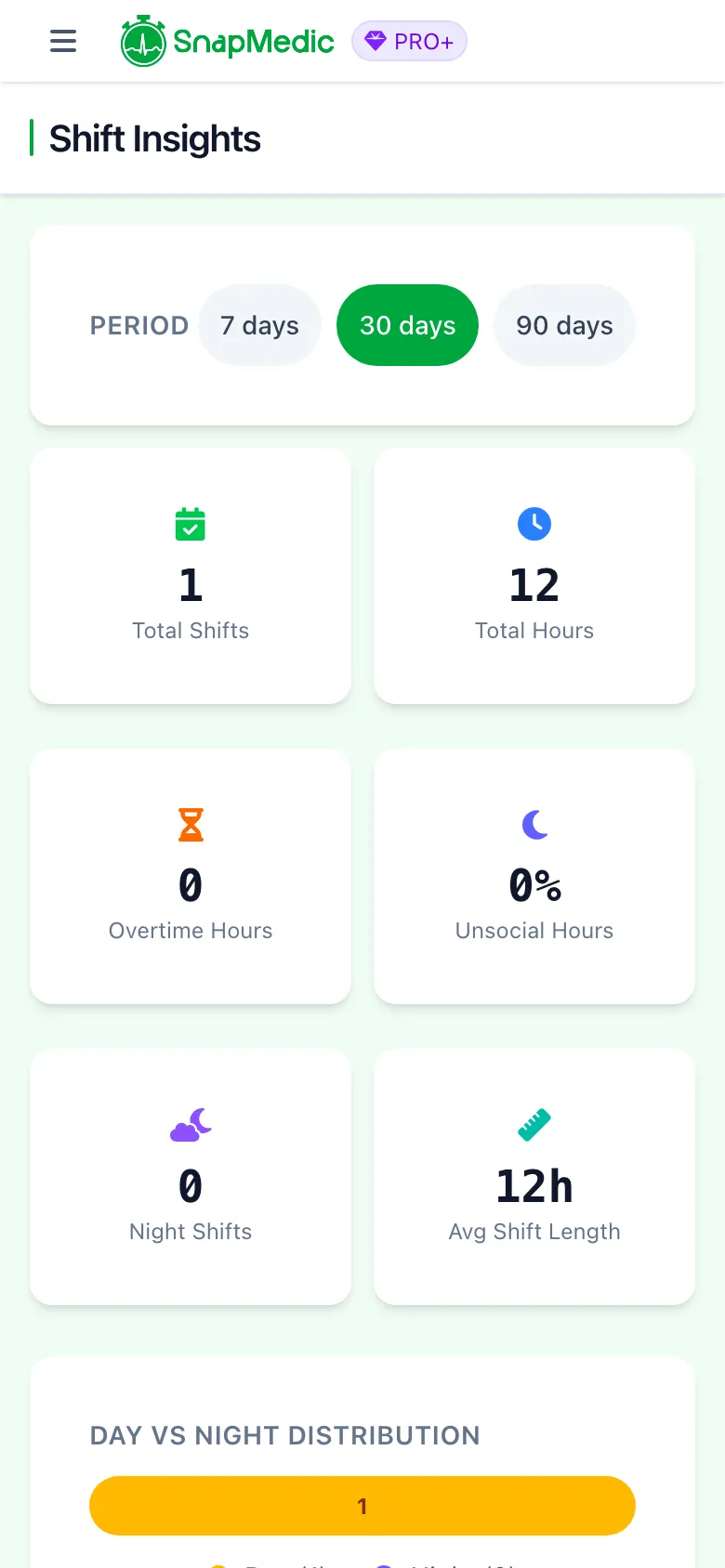
Shift insights showing wellbeing and mood data
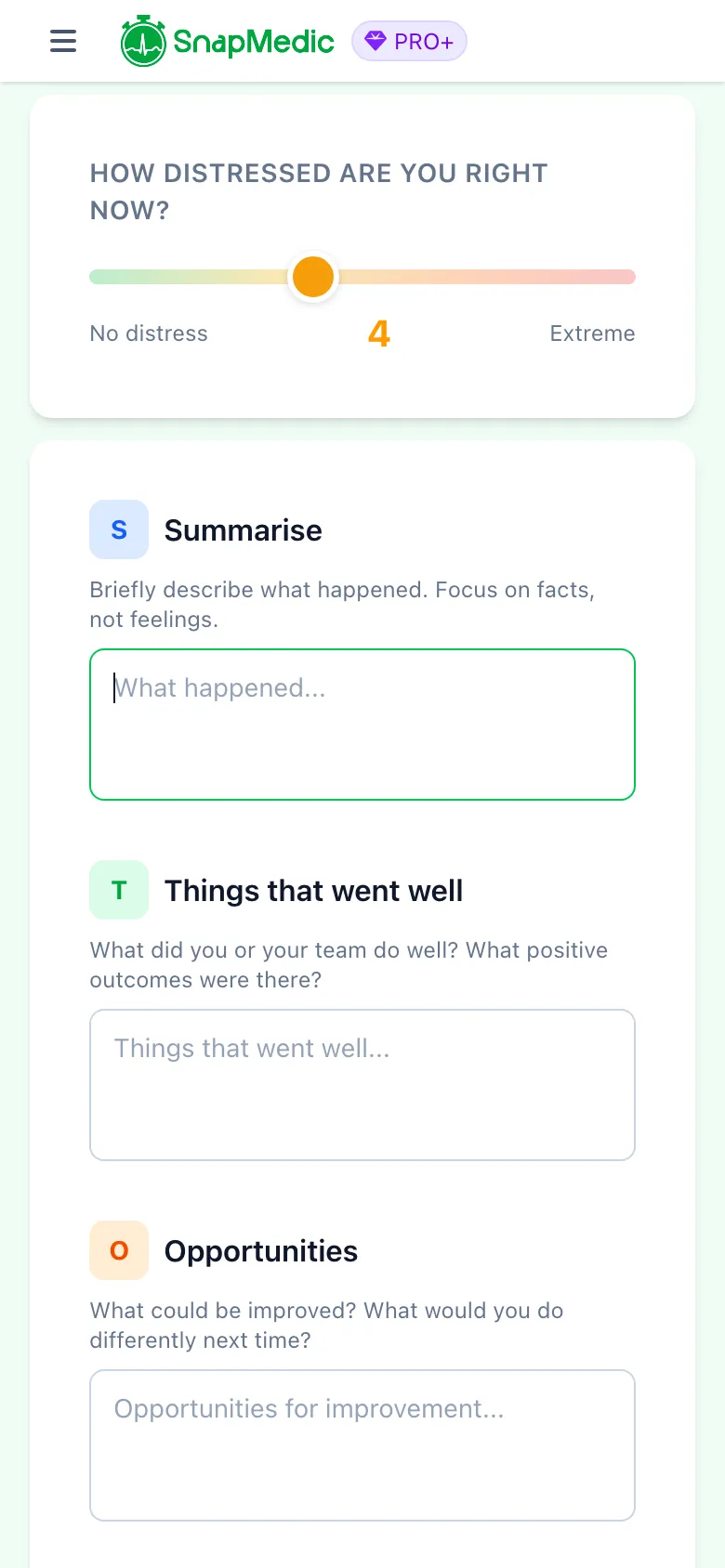
STOP framework debrief with distress tracking
- Summarise — Describe what happened, focusing on facts
- Things that went well — What you and your team did right
- Opportunities — What could be improved next time
- Points to action — Training needs, conversations or follow-ups
You rate your distress before and after on a 0 to 10 scale. If your distress stays high after completing the debrief, support resources appear automatically with links to confidential helplines. Past debriefs are saved with your distress scores visible at a glance.
Other new features
# Personalised onboarding
New users now see a first-run experience based on their interests. A student preparing for placements sees different content than a qualified paramedic looking for shift tools.
# Updated drug and conditions data
The drug and conditions datasets have been updated to March 2026. If you use the medication search in the intervention log or the standalone drug lookup, you are working with the latest data.
# Improved offline reliability
We have put a lot of work into making the offline experience more solid. Sync retries are more reliable, mode switching between online and offline is clearer, and there are proper warnings if something needs a connection.
Improvements and fixes
# Accessibility
- All interactive elements now meet the now have larger touch targets
- Screen reader support for error regions and form fields
- Keyboard navigation improvements
# Sync and data
- Calendar view loads shifts for the specific month you navigate to, not just the last 30 days
- Cross-device deletion sync for custom skills
- Deletion tracking consistency across devices
# Bug fixes
- Fixed a timezone bug that could cause shift dates to display incorrectly
- B2B organisation users no longer see upgrade prompts in the OSCE chat
- Deleted custom quiz questions no longer appear as presets
- Fixed OSCE chat input positioning on iOS
- Various stability fixes based on error reports
Thanks to everyone who has sent feedback, reported bugs and suggested features. This update is built on that. Keep it coming.
Update to Version 6.7 now
Join thousands of UK ambulance clinicians who trust SnapMedic for their clinical toolkit needs
Or try the web version
Free to download • All core features included • Works offline