Overview
Version 6.9 is a big one, and there is more right behind it! There's a new in-app News & Bulletins hub, so you hear about clinical updates and app changes without leaving SnapMedic. The Shift Tracker has been rebuilt around a guided wizard. And a lot of what you voted for on the feedback board has landed: intubation logging, a paediatric GCS, and ECG findings on observations.
On top of that, a complete data export, some new accessibility settings, and the usual pile of fixes underneath.
News & Bulletins
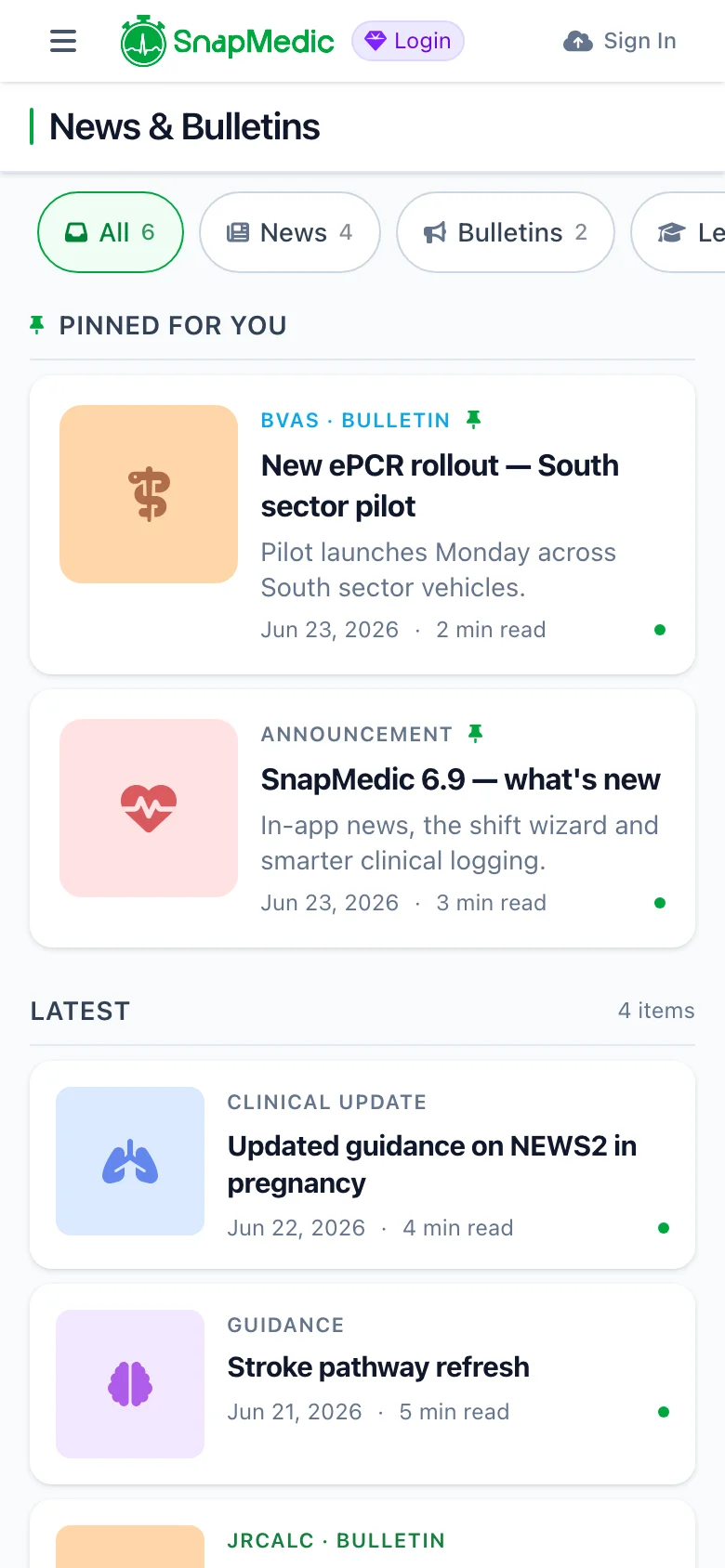
We kept telling you about updates through email, Discord and these posts. None of that reaches you while you're in the app. So we built a news hub into SnapMedic itself.
Open News from the menu and you'll find a feed of app updates and learning content. Filter by type, and anything important stays pinned to the top. There's a "Latest News" card on the home dashboard for the newest post, and you can save anything you want to come back to.
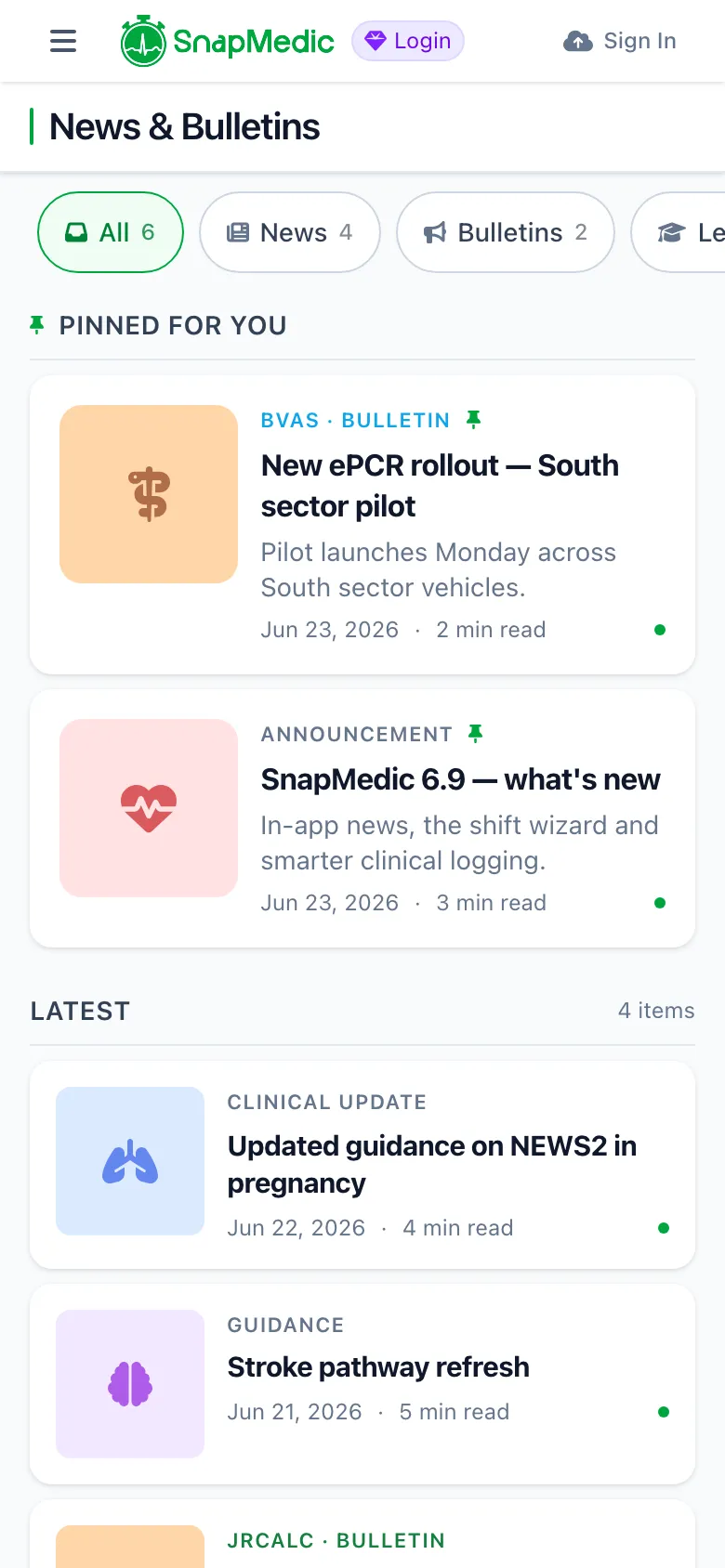
SnapMedic in-app News and Bulletins hub showing filter chips and a pinned clinical bulletin
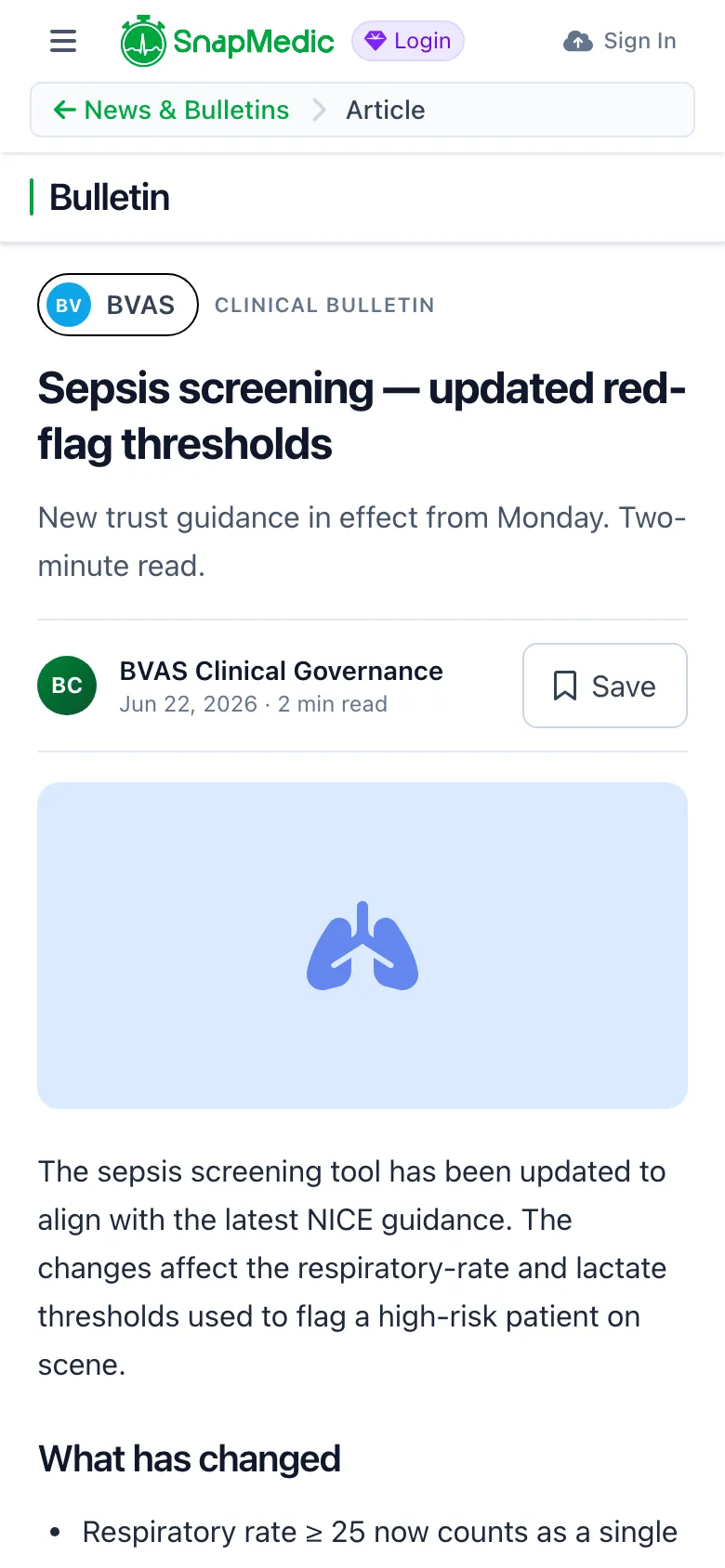
SnapMedic news article reader showing a clinical bulletin with formatted content blocks
If you work for an organisation and want SnapMedic to show all your organisational bulletins, clinical notices and articles, get in touch about organisation licensing through our For Teams page.
The Shift Wizard
The old shift form was one long, dense page, so we replaced it with a step-by-step wizard in the same style as the skills wizard from 6.8.
There are three modes: creating a shift, editing one, and finishing one. They share the same steps each time: when, where, who, breaks, notes. When you're making a new one, we pre-fill the times and break type from your last shift, so a regular pattern is just a few taps.
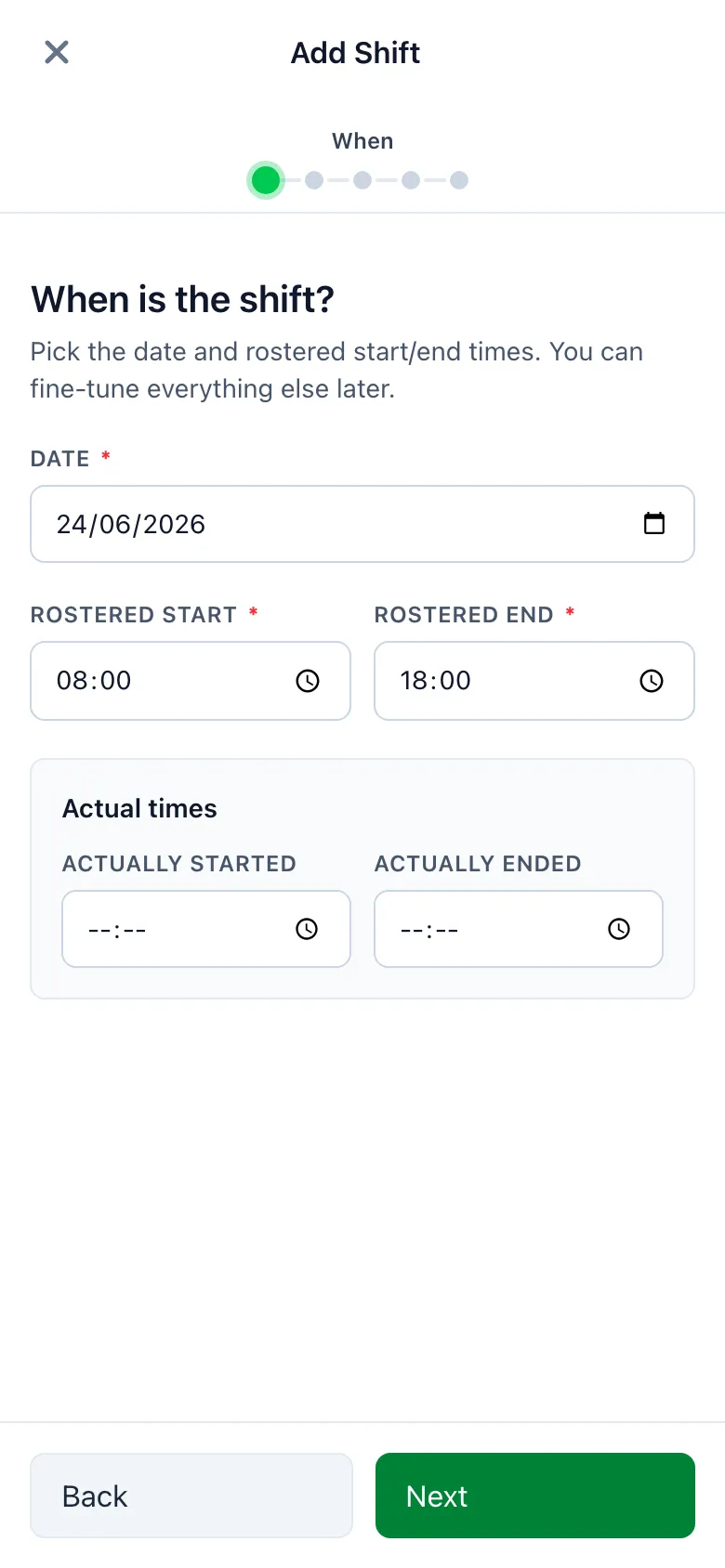
SnapMedic guided shift wizard create flow showing one step per screen with progress dots
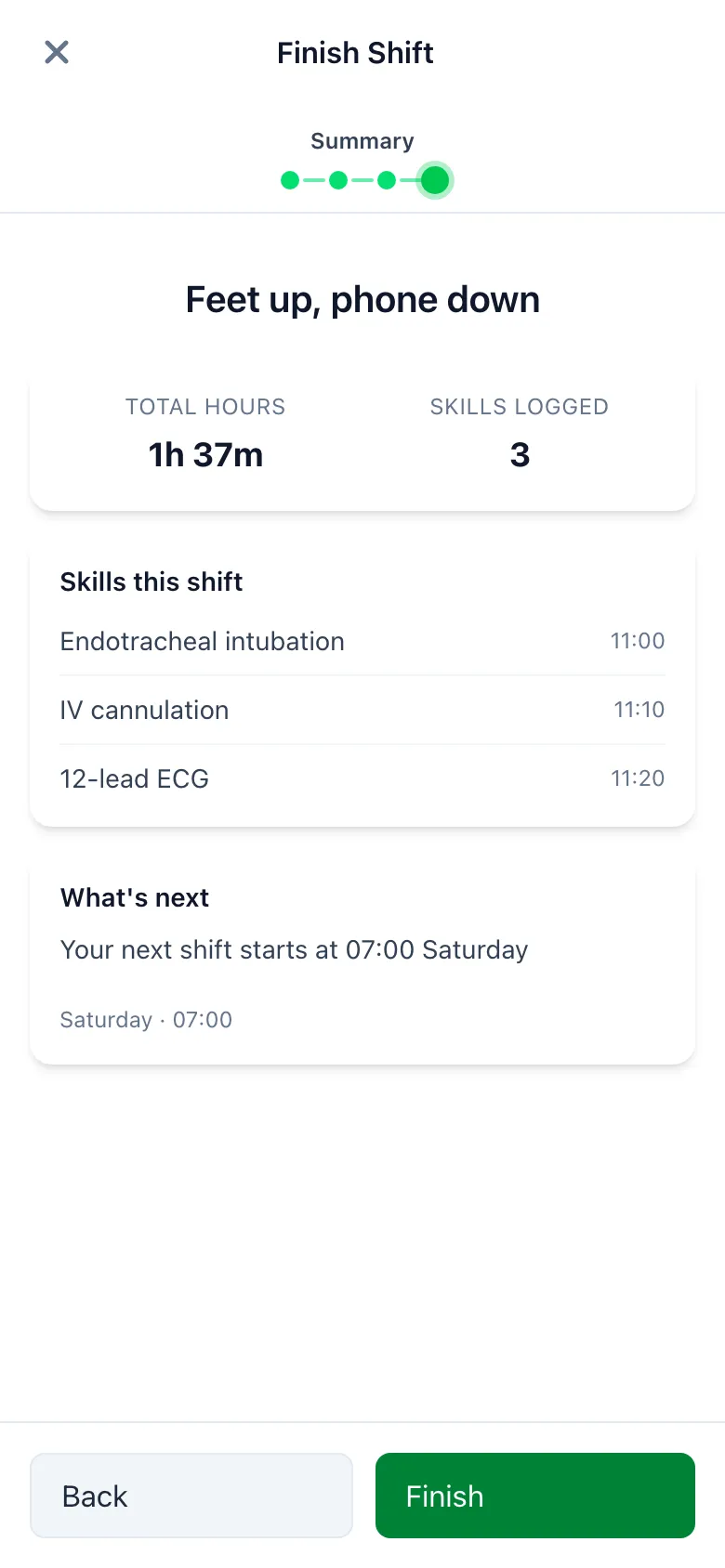
SnapMedic finish shift summary showing totals, skills logged this shift and next shift reminder
Copy from an encounter to your portfolio
This one came from feedback post #86. If you logged a job in the Intervention Log and then wanted it in your Skills Tracker portfolio, you used to have to type it all in again.
Now, when you finish an encounter, a prompt offers to copy every intervention and drug you recorded into your Skills Tracker. Drugs come through pre-filled, with the medication and route dropping into the Medication Administration skill, and the timings, outcomes and patient details carry over too. No more double-entry.
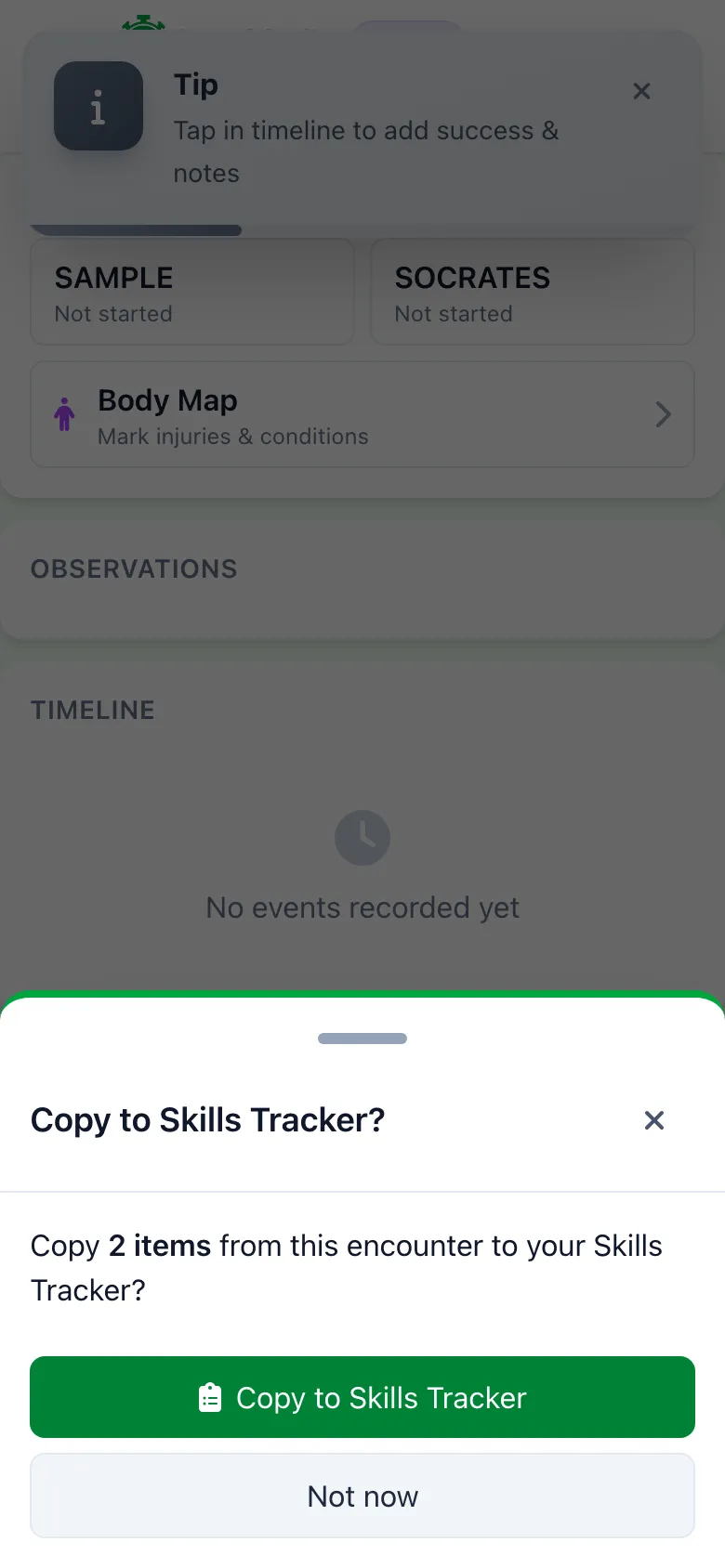
SnapMedic prompt to copy interventions and medications from an encounter into the Skills Tracker
On privacy: the patient identifier is never copied across. It stays in the encounter where you entered it.
Intubation logging
We've added structured logging for procedural skills, starting with endotracheal intubation. You'll find it in the Skills Tracker under Procedures / Airway.
Instead of a free-text note, you capture the detail that matters for an airway log: context, patient position, device, blade size, the Cormack–Lehane grade, tube size and how you confirmed placement. Not sure on the grade? Tap the "?" next to it for a diagram and a plain-language description of each one, with the references behind it.
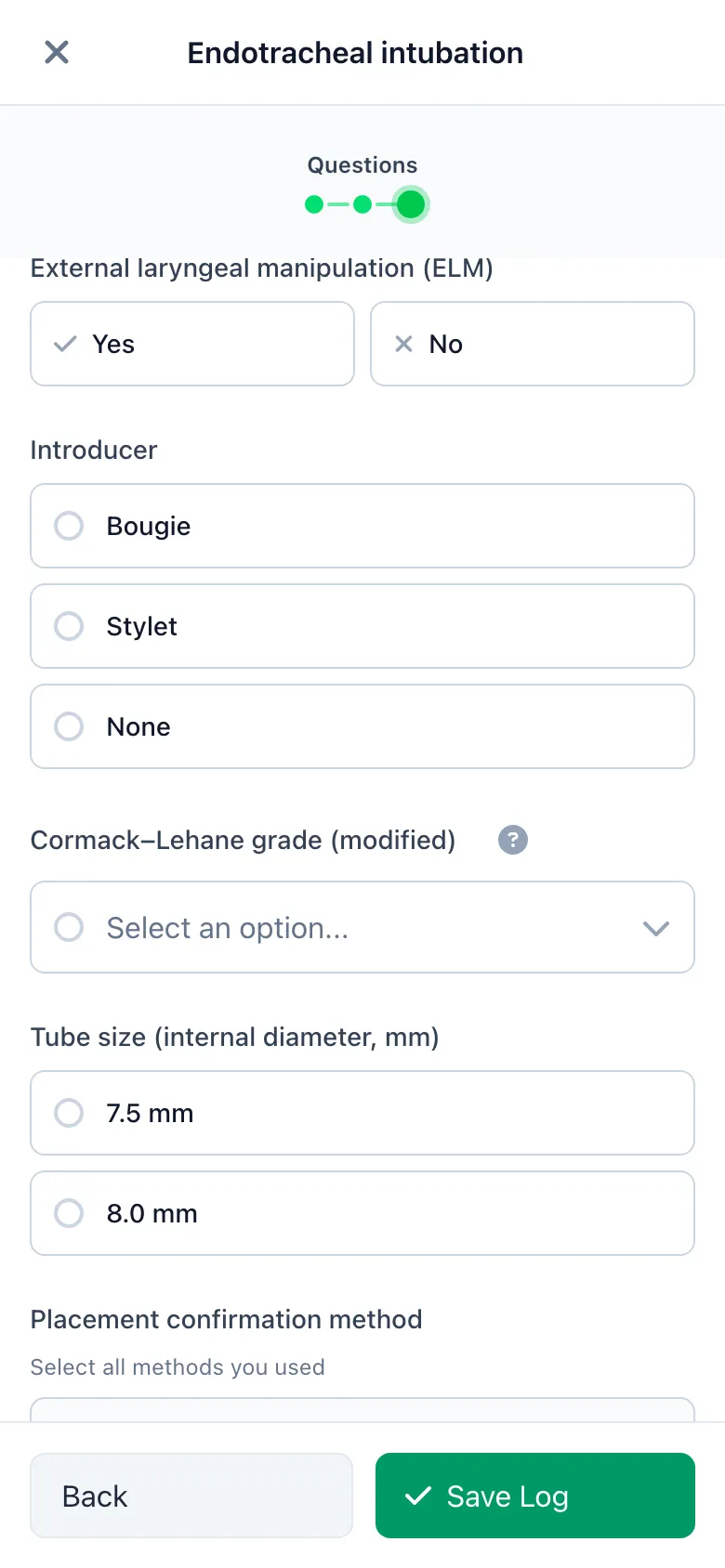
SnapMedic structured intubation logging capturing Cormack-Lehane grade, blade and tube size
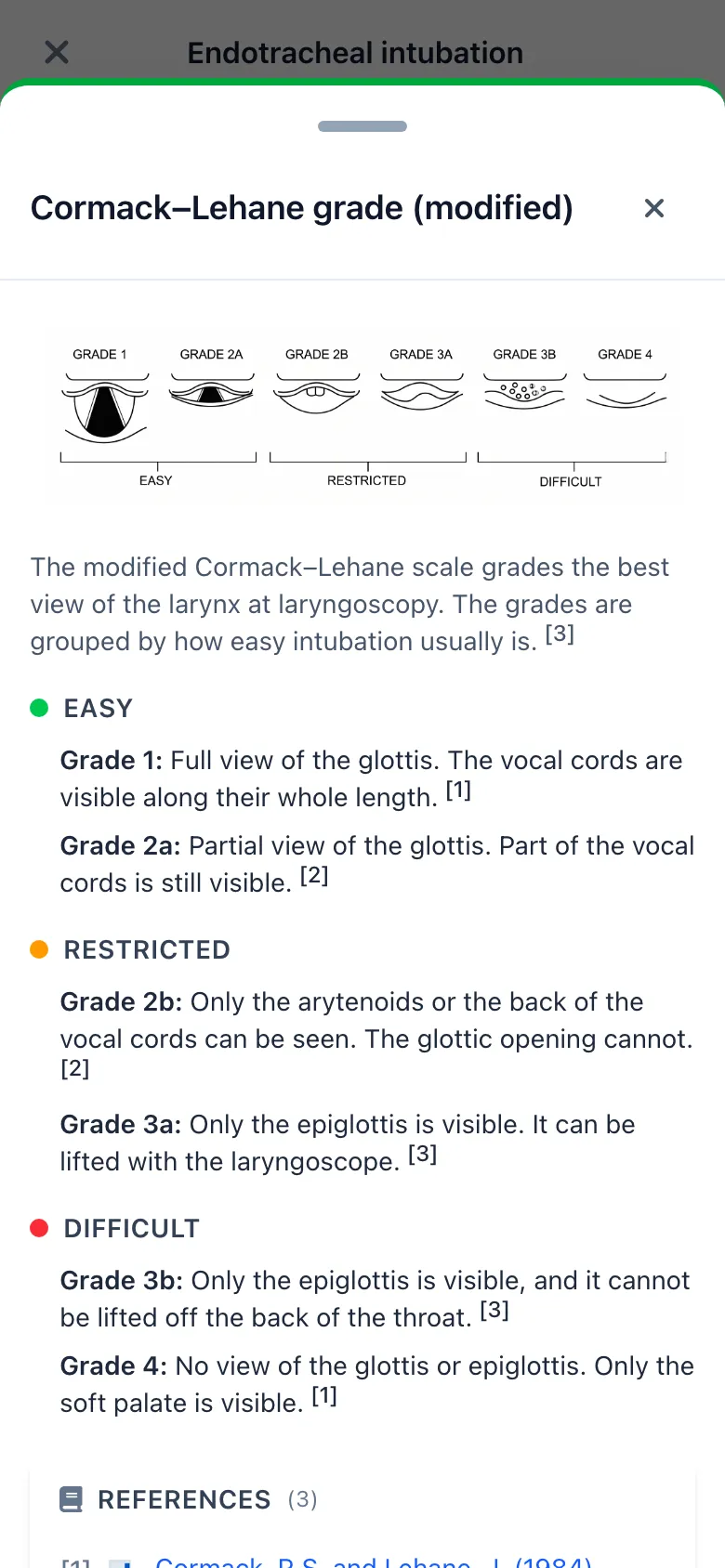
SnapMedic Cormack-Lehane help drawer showing the grade diagram and referenced descriptions
Each attempt is its own entry, so your first-pass success rate stays honest. You can also export your skills as JSON now, alongside CSV and PDF.
Paediatric GCS
Another one from the feedback board (post #50). The GCS calculator now has a Paediatric mode that swaps in BPNA verbal and motor descriptors built for pre-verbal and pre-school children, instead of asking you to score a toddler against adult criteria.
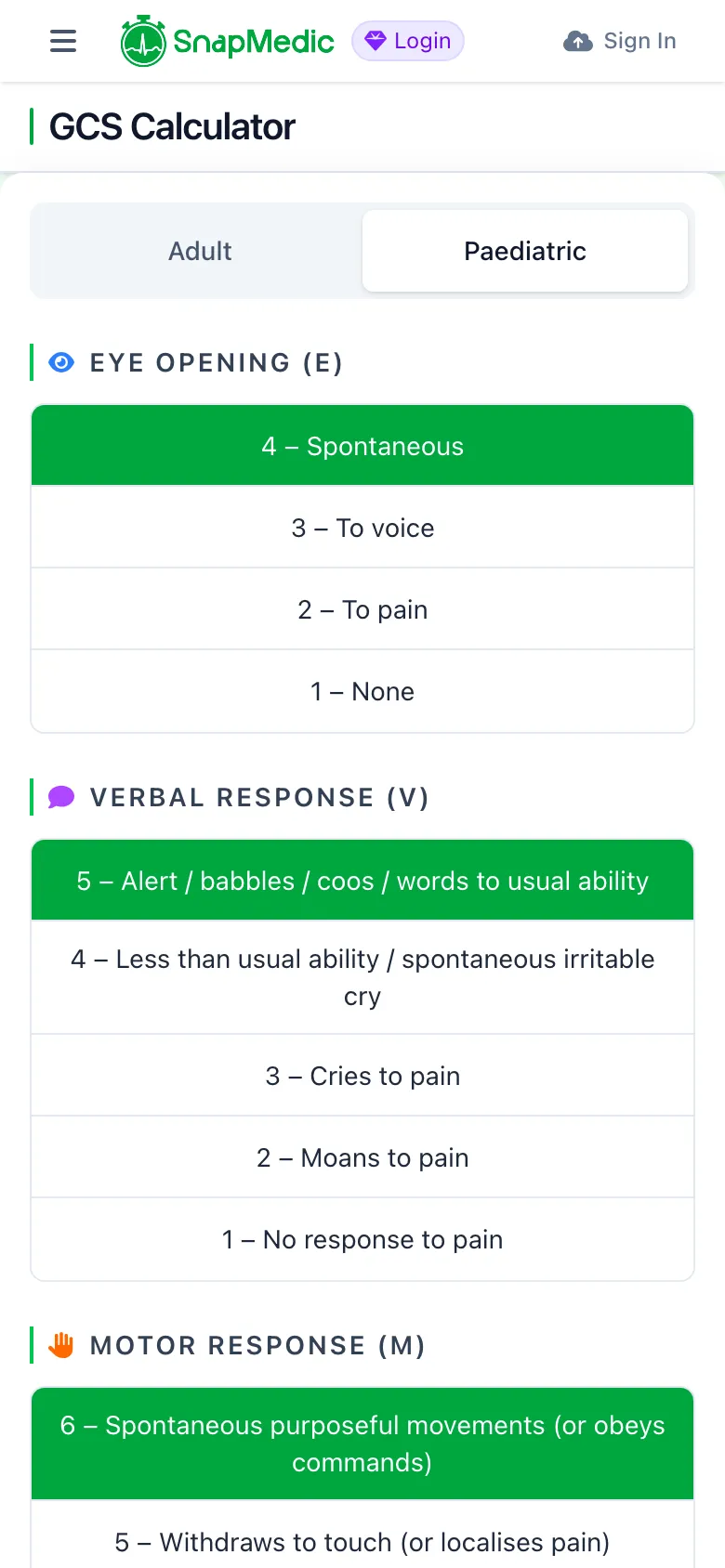
SnapMedic GCS calculator paediatric mode with BPNA verbal and motor descriptors for children
In the Intervention Log it suggests the paediatric scale on its own for under-fives, and every score is labelled pGCS through the grid, the handover summary and the PDF, so there's never any doubt about which scale you used.
ECG findings on observations
From feedback post #61: you can now record ECG findings directly on an observation in the Intervention Log. Pick the rhythms from a list and add free-text notes if you need to.
The first time you add ECG data to an encounter, the app links a 12-lead ECG procedure for you. The findings also show up in the right spot on your handover summary: Signs in ATMIST, Assessment in SBAR, Condition in ASHICE.
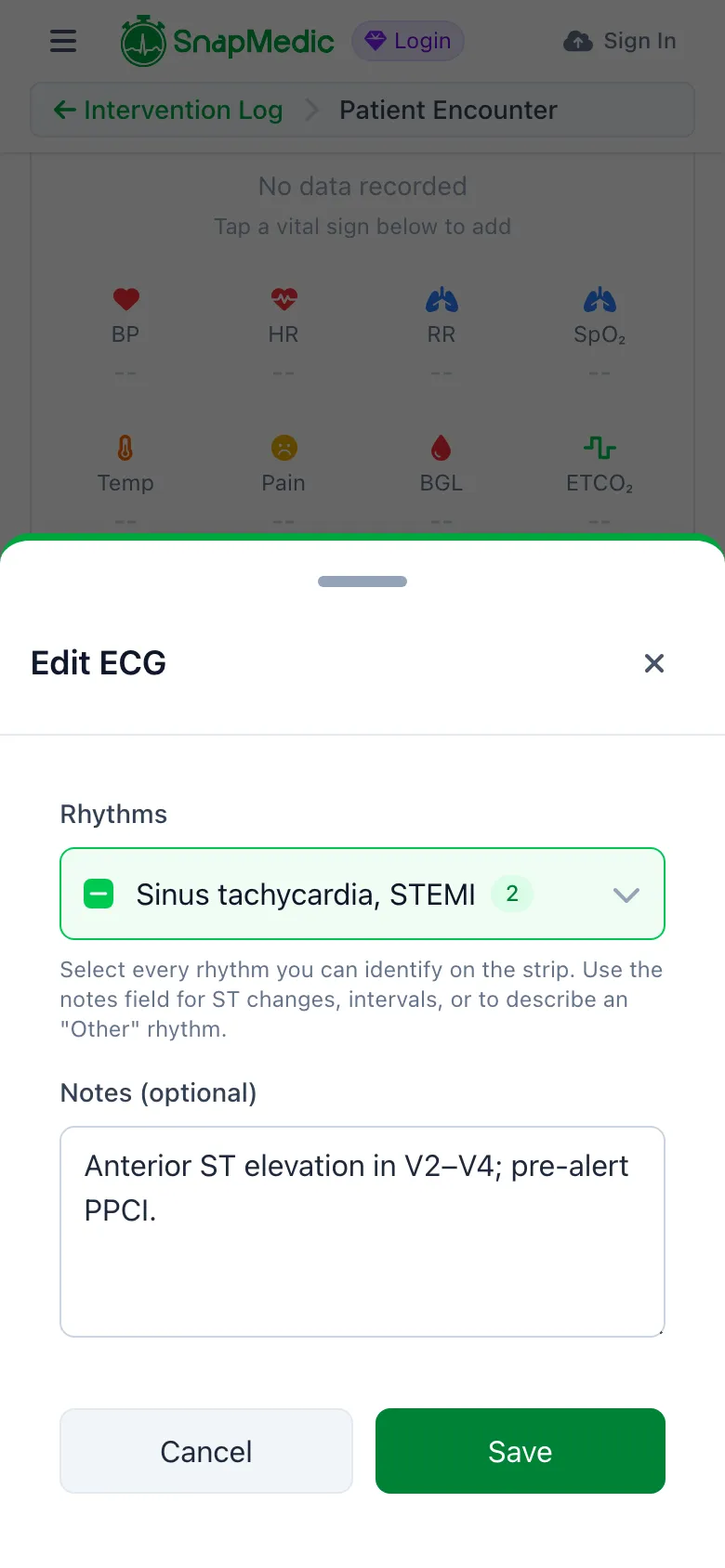
SnapMedic intervention log observation editor with ECG rhythm selection and notes
Export all your data
We've rebuilt "Export My Data" so it really does export everything. You get two files: a readable PDF and a portable JSON, covering every category of data we hold for you.
Both come from the same source, so they can never disagree, and it works offline. If your export includes patient or clinical data, there's a confidentiality acknowledgement to tick before anything generates. Security details like backup codes and keys are never written into the file.
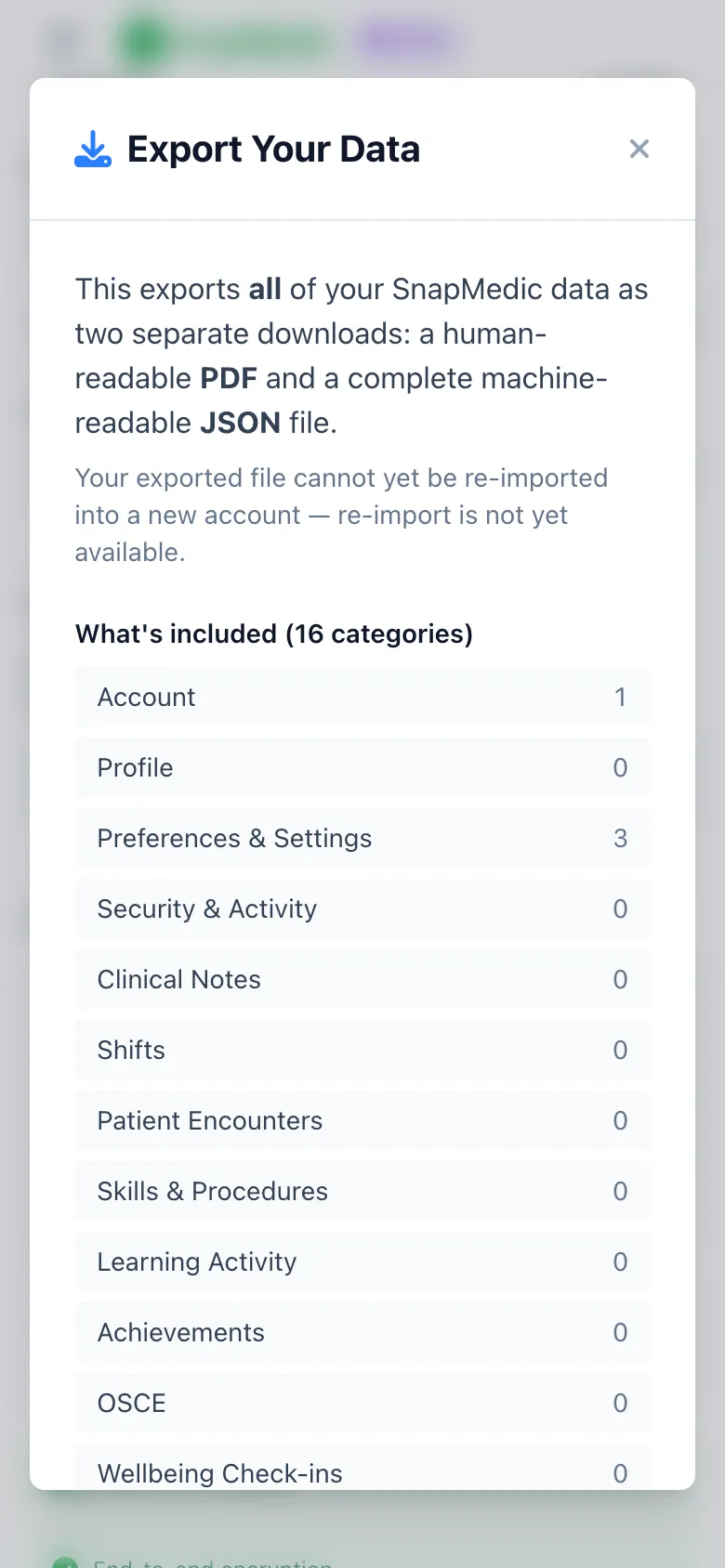
SnapMedic complete data export modal listing every data category with PDF and JSON downloads
Appearance & accessibility
There's a new Appearance section in settings, and everything in it is free for everyone:
- A dyslexia-friendly font that switches the whole app over to OpenDyslexic.
- Text size scaling, to bump the interface up through Large, Larger and Largest.
- Reduce motion, which follows your device setting and drops the heavier animations.
We've also added an optional pride branding toggle that swaps the logo and app icon over to a rainbow variant.
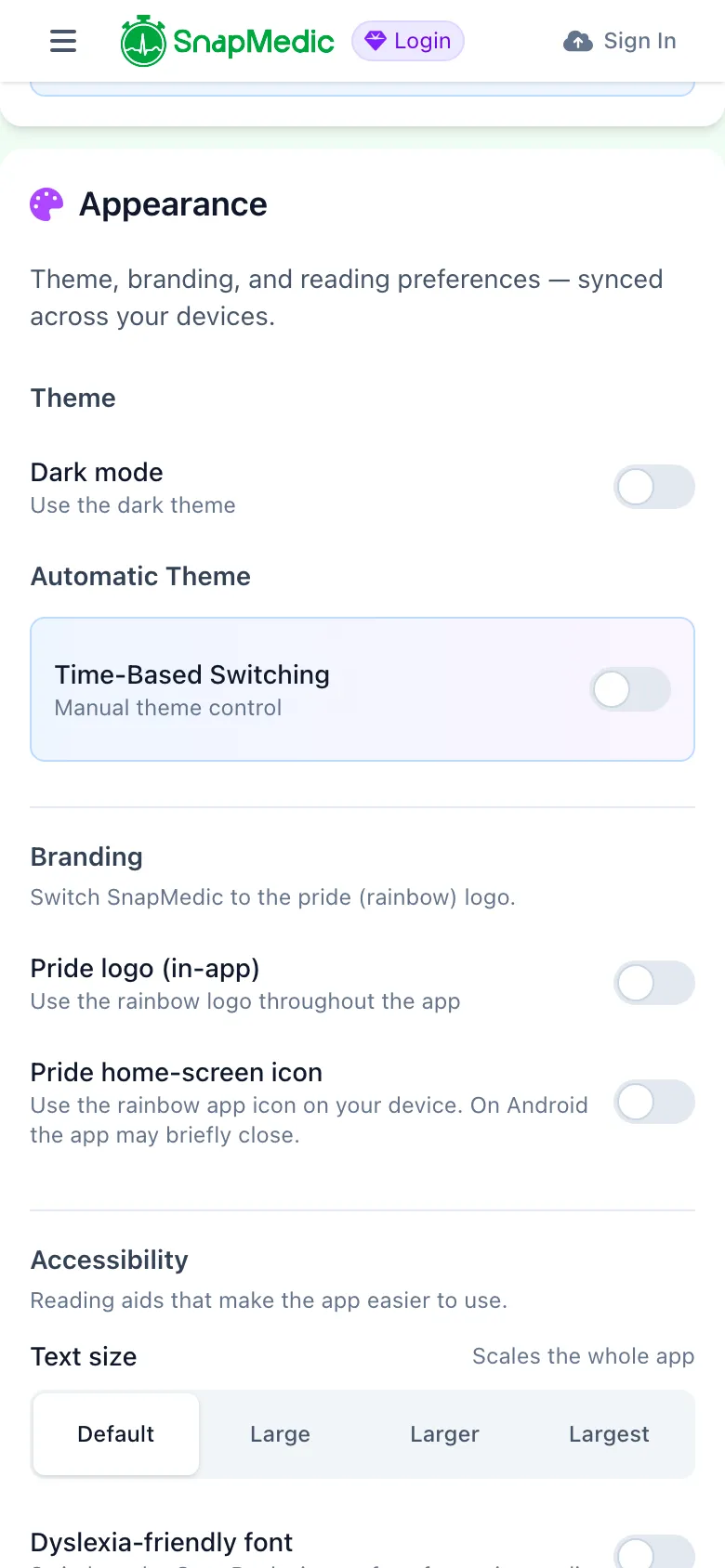
SnapMedic appearance and accessibility settings with dyslexia font, text size and reduce motion options
Improvements and fixes
# Accessibility & ergonomics
- Flashcards and the intervention log got a full accessibility pass: keyboard shortcuts on flashcards (space to flip, 1–4 to rate), colourblind-safe rating icons, and card content that scrolls properly on small phones.
- The cardiac arrest panel now has a bigger BPM stepper for gloved hands, asks you to confirm ROSC, and reads overdue alerts out to screen readers.
- A first-publish medical-accuracy disclaimer on community flashcard decks.
# Clinical & shifts
- LAS NQP1 / NQP2 roles added for London Ambulance Service, alongside the generic newly qualified paramedic role.
- QR-code sharing for My Notes, and a total-hours chip on the shift tracker.
- Fixed GRS rest-day "ghost" shifts showing as 23:00–23:00, and split shifts now parse correctly.
- Rota generation now self-heals if it gets into a bad state, so your calendar repopulates instead of going blank.
- The cardiac arrest cycle counter now counts from the start of the arrest whatever the first rhythm was, fixing a dead zone with shockable rhythms.
# Reliability
- A lot of work went into cold-start and offline reliability: fewer false sync errors, and no more banner flashes or sticky pending badges on launch.
- Recovered lost OSCE assessment results and unblocked transient AI errors.
- Community-deck unsubscribes now sync across your devices.
What's around the corner
Like we said up top, 6.9 isn't the end of it. A few things we're already working on for the next releases:
- Better organisational news and bulletins, with richer notices, clinical bulletins and articles for the teams and services running SnapMedic. If that's you, the For Teams page covers organisation licensing.
- Improved alarms and timers, with a proper pass over the ones you lean on mid-job so they're clearer and harder to miss.
- New learning opportunities inside the app, picking up where the new News & Bulletins hub leaves off.
Thanks
A big chunk of this release came directly off the feedback board. Intubation logging, paediatric GCS, ECG findings and the encounter-to-portfolio copy were all things you asked and voted for. Keep it coming, via email, Discord and the feedback portal.
Update to Version 6.9 now
Join thousands of UK ambulance clinicians who trust SnapMedic for their clinical toolkit needs
Or try the web version
Free to download • All core features included • Works offline